

Overview
Rules Management allows you to define and manage moderation rules that automatically detect and handle inappropriate content. Configure rules once in the Dashboard, and they’re automatically applied to all messages sent through CometChat.Using UI Kit or SDK? Once you configure rules in the Dashboard, they are automatically applied to all messages. No additional code is required - the UI Kit and SDK handle moderation seamlessly.
Quick Start
Enable moderation in under 2 minutes:1
Open Rules Settings
Login to CometChat Dashboard → Select your app → Moderation → Settings → Rules
2
Enable Default Rules
Toggle on the rules you need (e.g., Profanity Filter, AI Image Moderation)
3
Test It
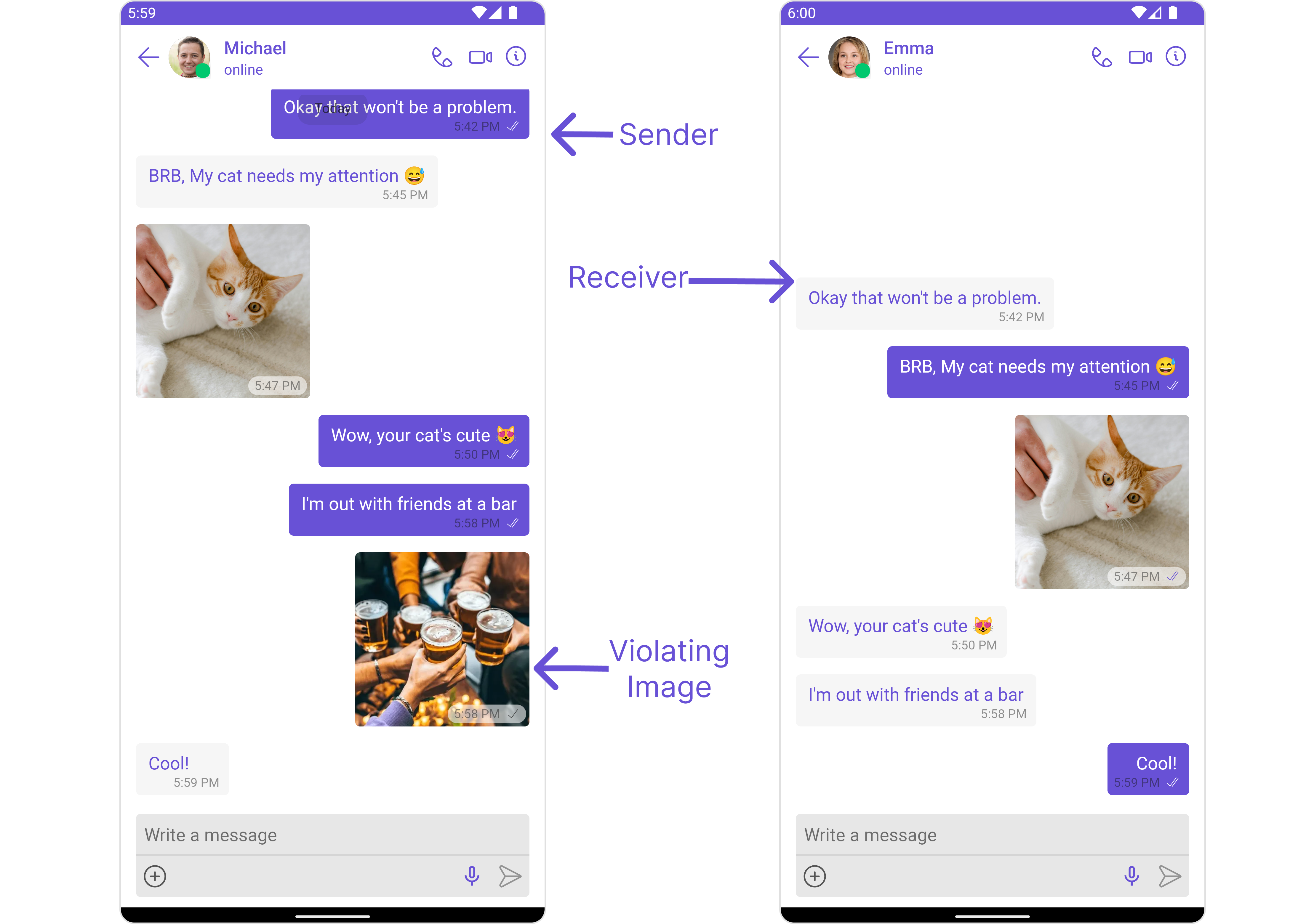
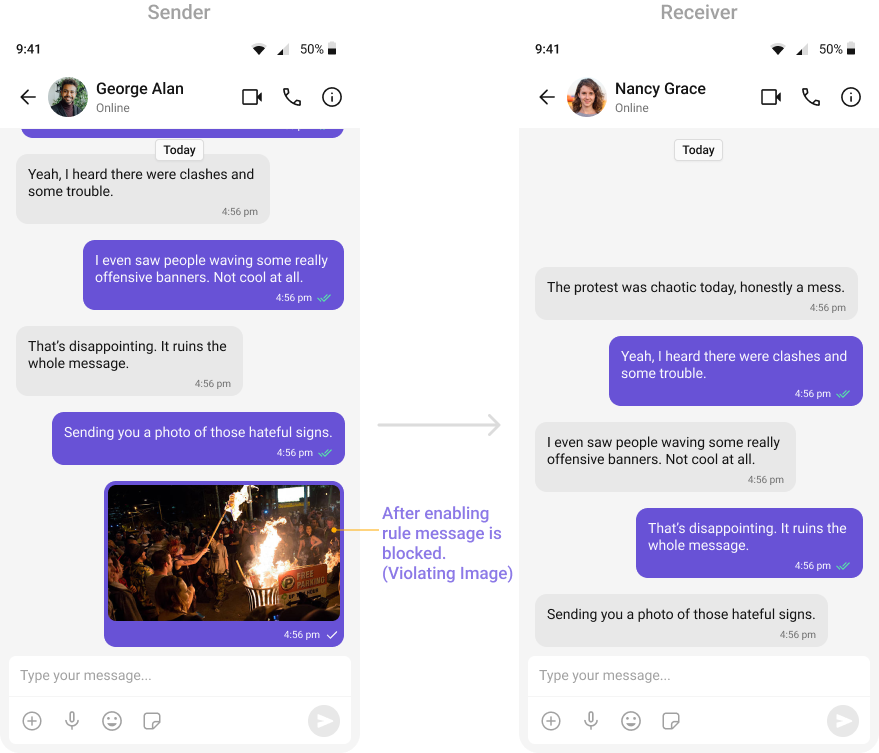
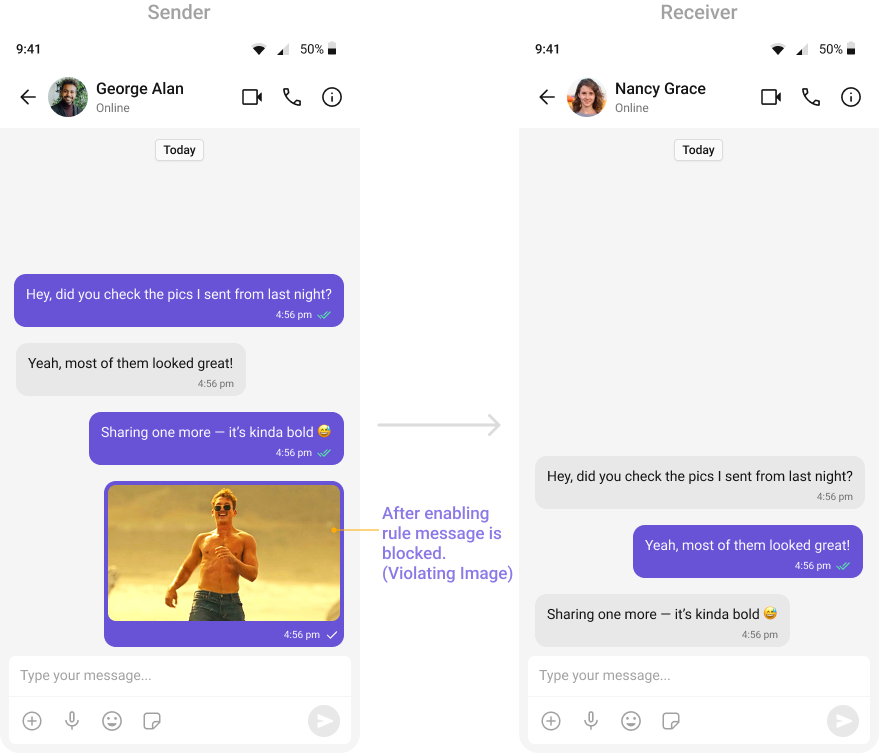
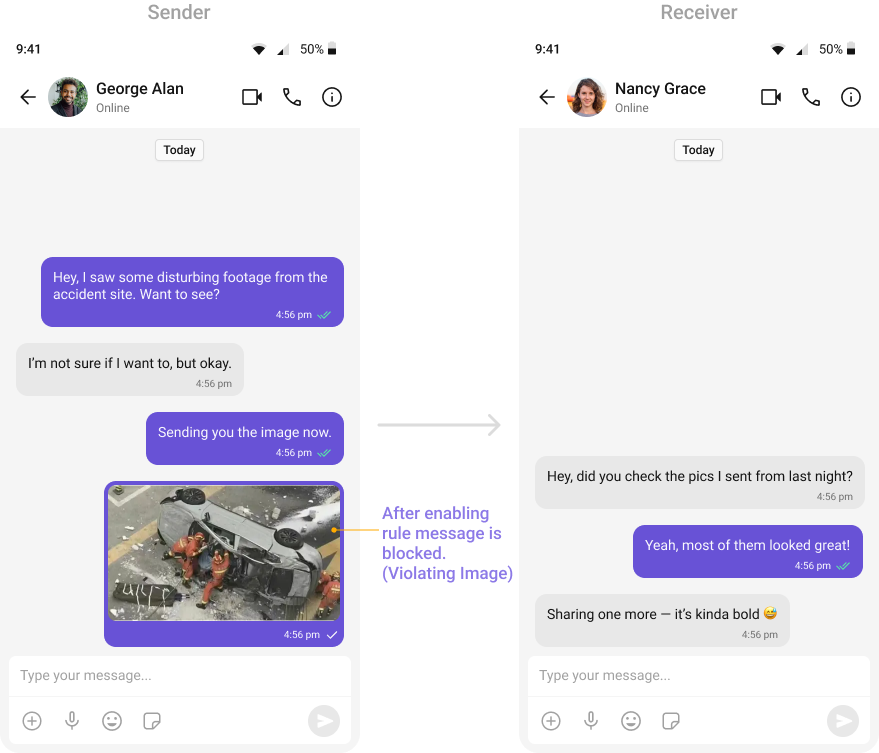
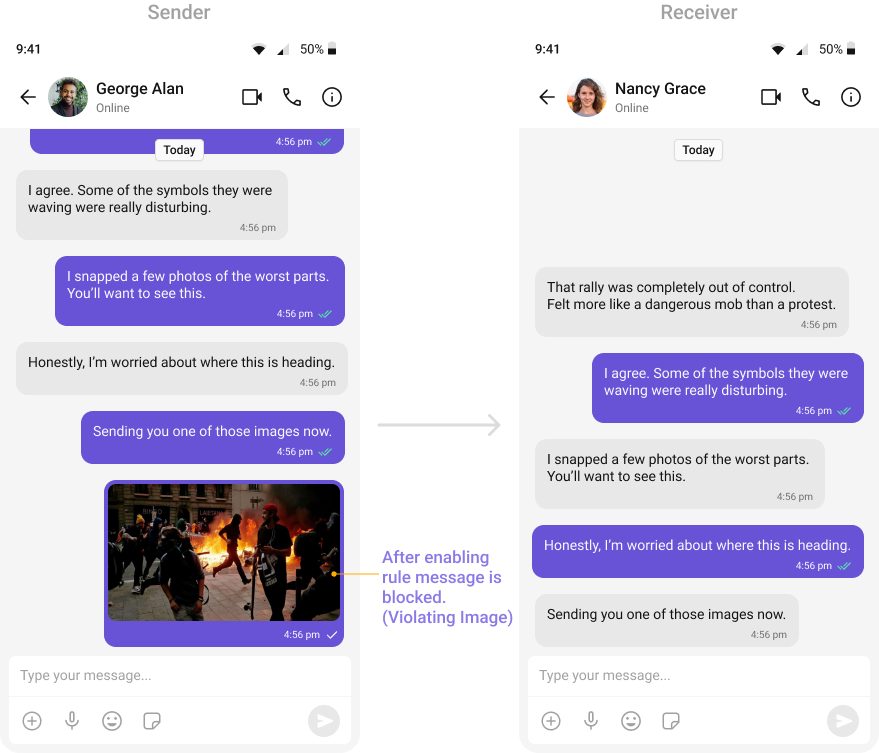
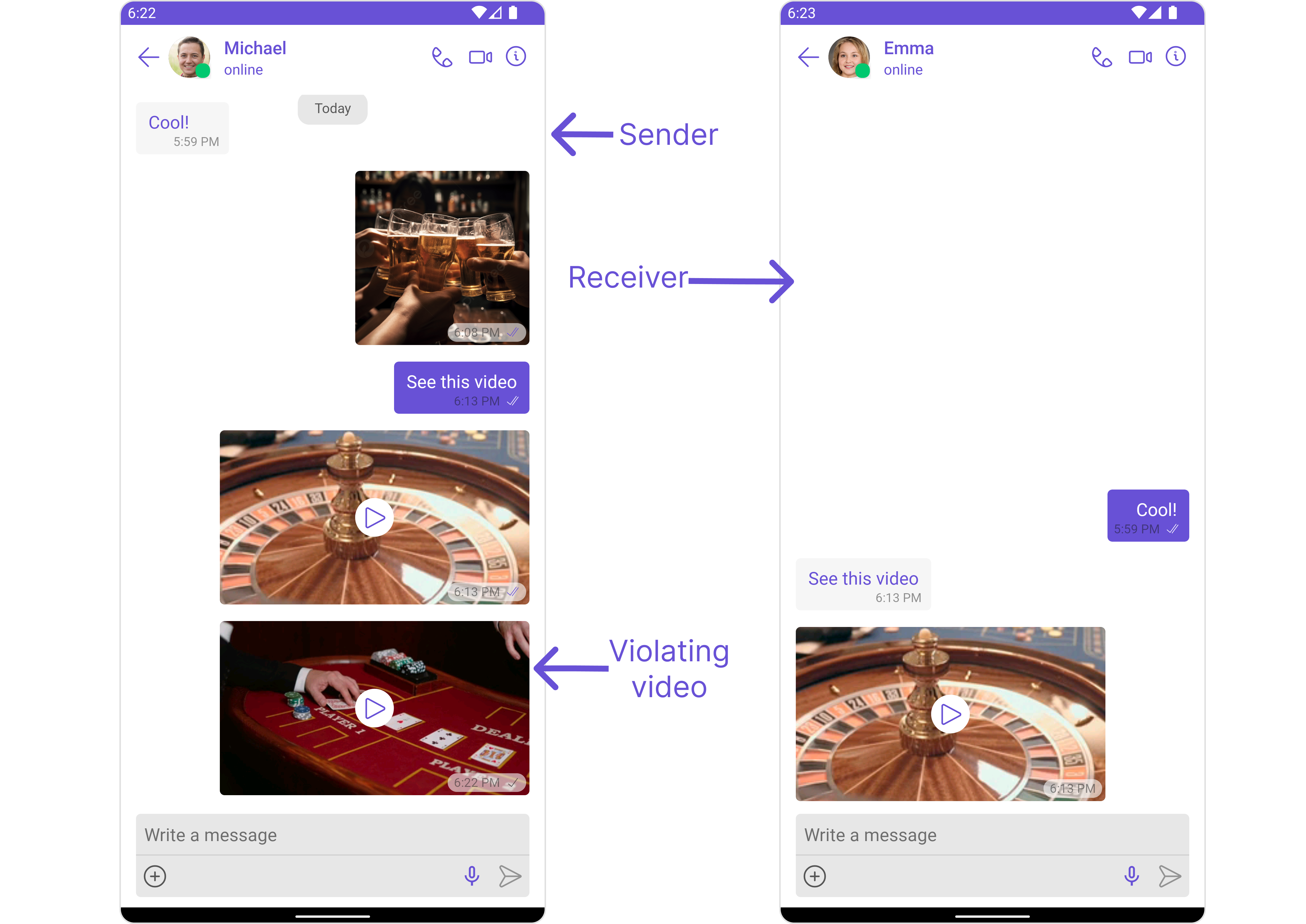
Send a test message that violates the rule - it should be blocked automatically
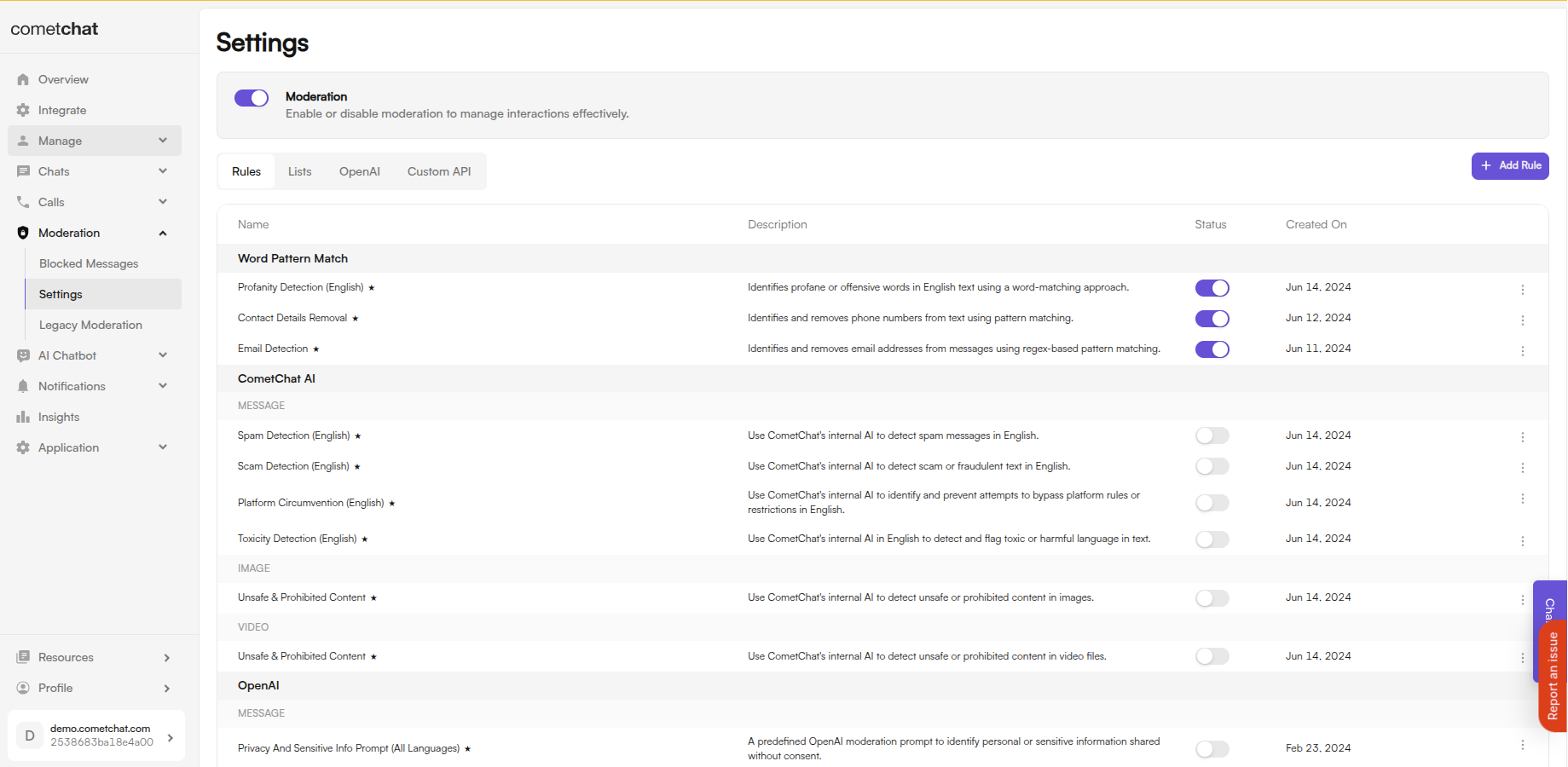
Available Rules Summary
- Text Rules
- Image Rules
- Video Rules
- Audio Rules
- File Rules
- OpenAI Rules
Recommended Rules by Use Case
Marketplace/Classifieds
Marketplace/Classifieds
Essential:
- Contact Details Filter
- Email Filter
- AI Scam Detection
- AI Platform Circumvention
- Profanity Filter
- AI Image Moderation
Dating App
Dating App
Essential:
- Contact Details Filter
- Email Filter
- AI Image Moderation
- OpenAI Explicit Content
- AI Scam Detection
- OpenAI Privacy Data (Image)
Gaming/Entertainment
Gaming/Entertainment
Essential:
- Profanity Filter
- AI Toxicity Detection
- AI Spam Detection
- OpenAI Hate & Harassment
- AI Image Moderation
Healthcare/Finance
Healthcare/Finance
Essential:
- OpenAI Privacy & Sensitive Info
- OpenAI Privacy Data (Image)
- AI Scam Detection
- Malware & Virus Scanner
- Profanity Filter
- Contact Details Filter
Enterprise/Compliance
Enterprise/Compliance
Essential:
- Malware & Virus Scanner
- OpenAI Privacy & Sensitive Info
- AI Scam Detection
- Profanity Filter
- AI Image Moderation
Best Practices
Tips for Effective Moderation
- Layer your rules - Use multiple rules together (e.g., Profanity Filter + AI Toxicity) for better coverage
- Adjust confidence levels - Lower confidence = more aggressive blocking, higher = fewer false positives
- Use Flag action for borderline content - Instead of blocking, flag messages for manual review
- Create custom keyword lists - Add industry-specific terms to the Lists Management
Default Rules
Default rules are pre-configured and ready to use. Simply toggle them on in the Dashboard.- Text Moderation
- Image Moderation
- Video Moderation
- Audio Moderation
- File Moderation
Profanity Filter
Profanity Filter
Automatically detects and blocks messages containing offensive language, profanity, or derogatory remarks using a predefined list of offensive keywords.Example: Before enabling, profane messages are delivered (double ticks). After enabling, they’re blocked (single tick).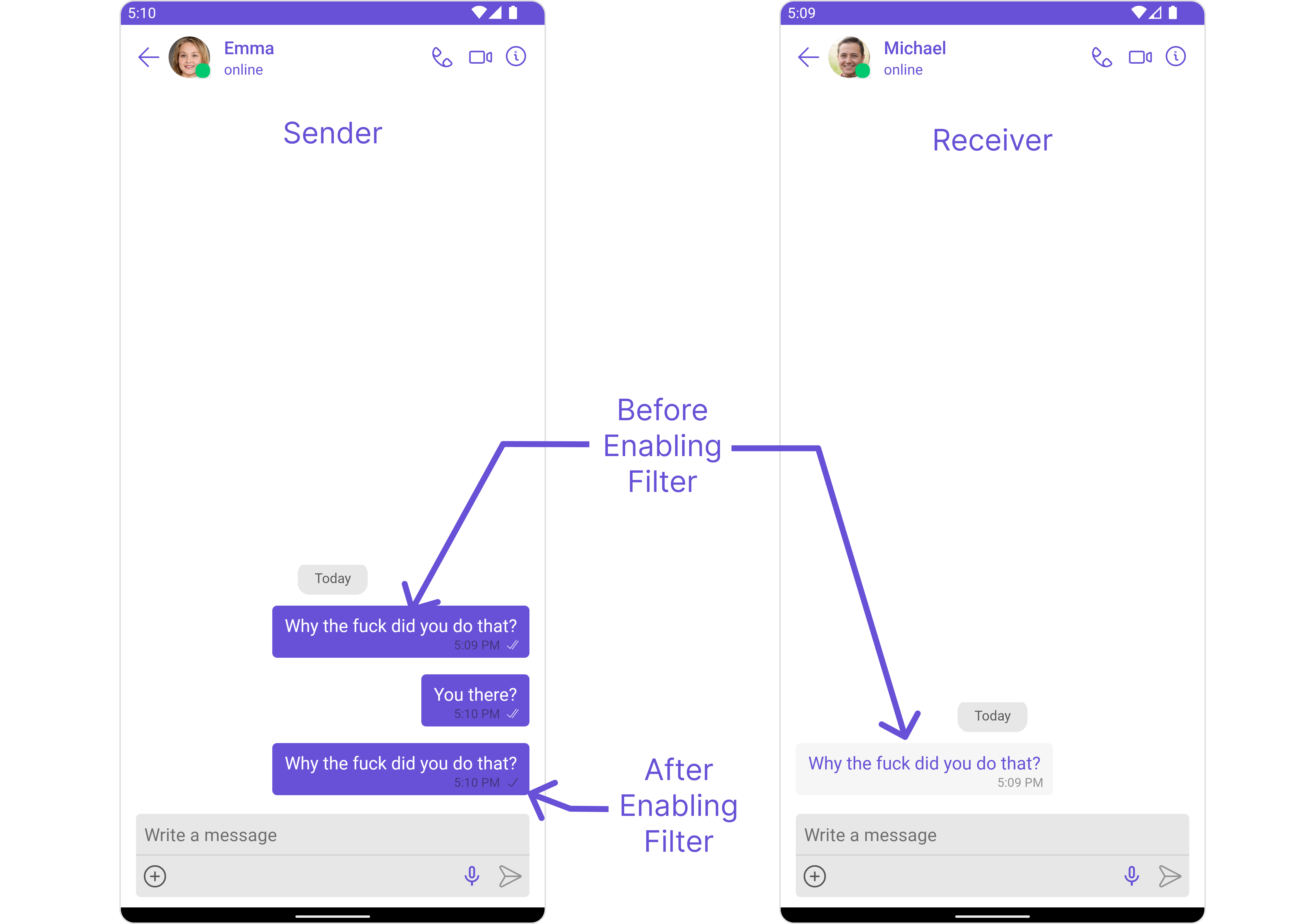
Contact Details Filter
Contact Details Filter
Detects and blocks messages containing phone numbers to prevent sharing of private contact information.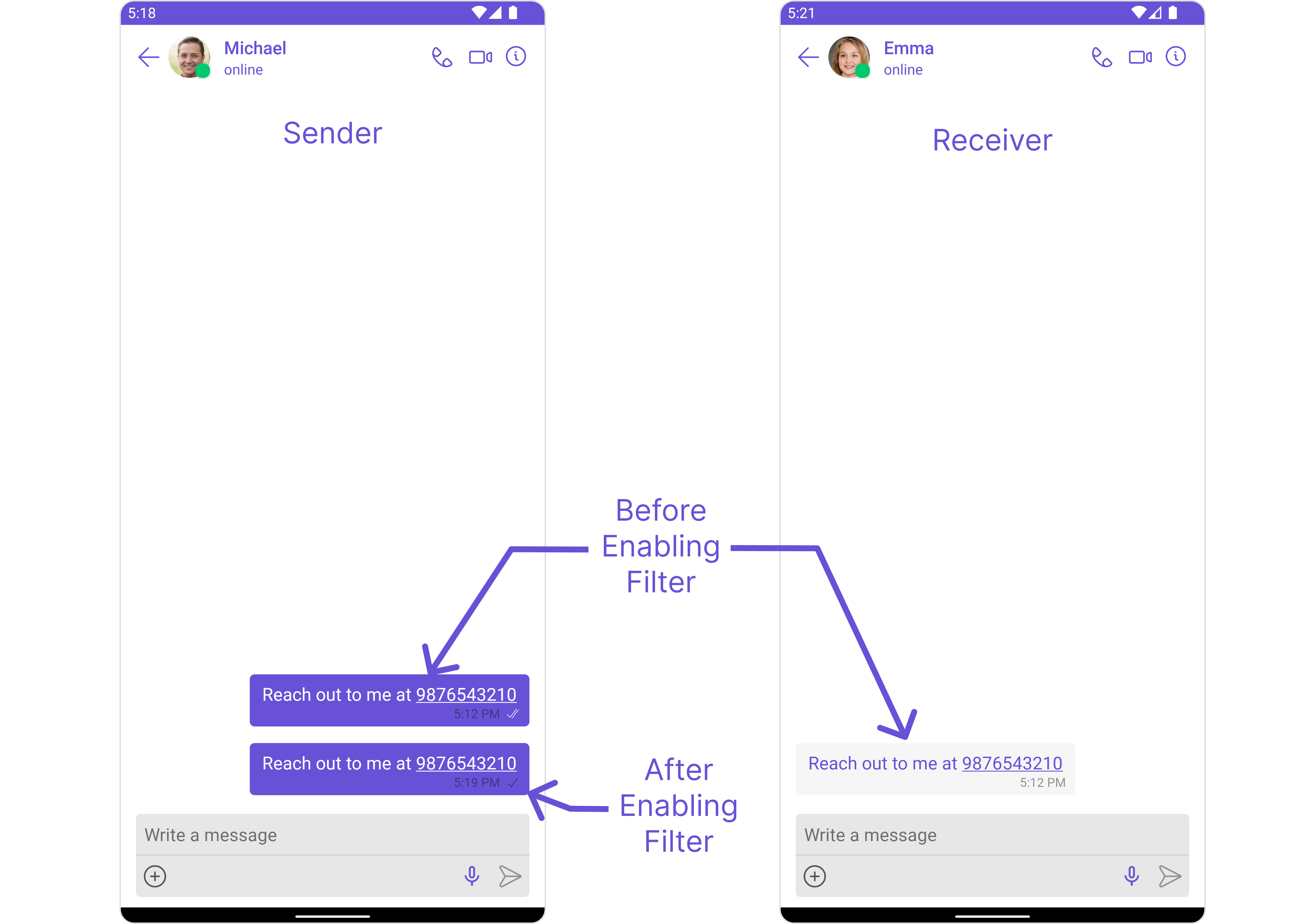
Email Filter
Email Filter
Detects and blocks messages containing email addresses to prevent off-platform communication.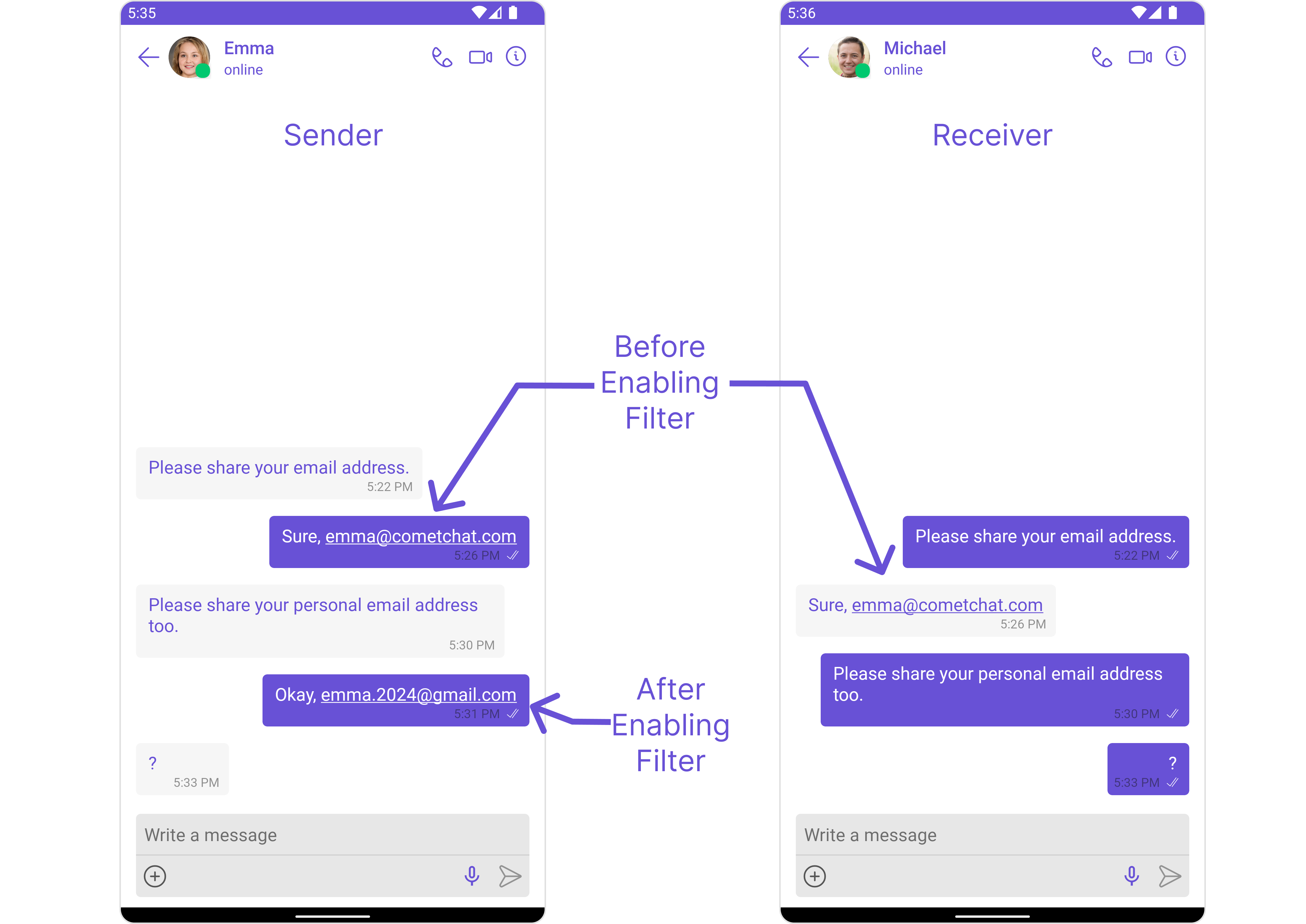
AI Message Toxicity
AI Message Toxicity
AI-powered detection of toxic, harmful, or inappropriate language including threats, harassment, and hate speech. Supports multiple languages.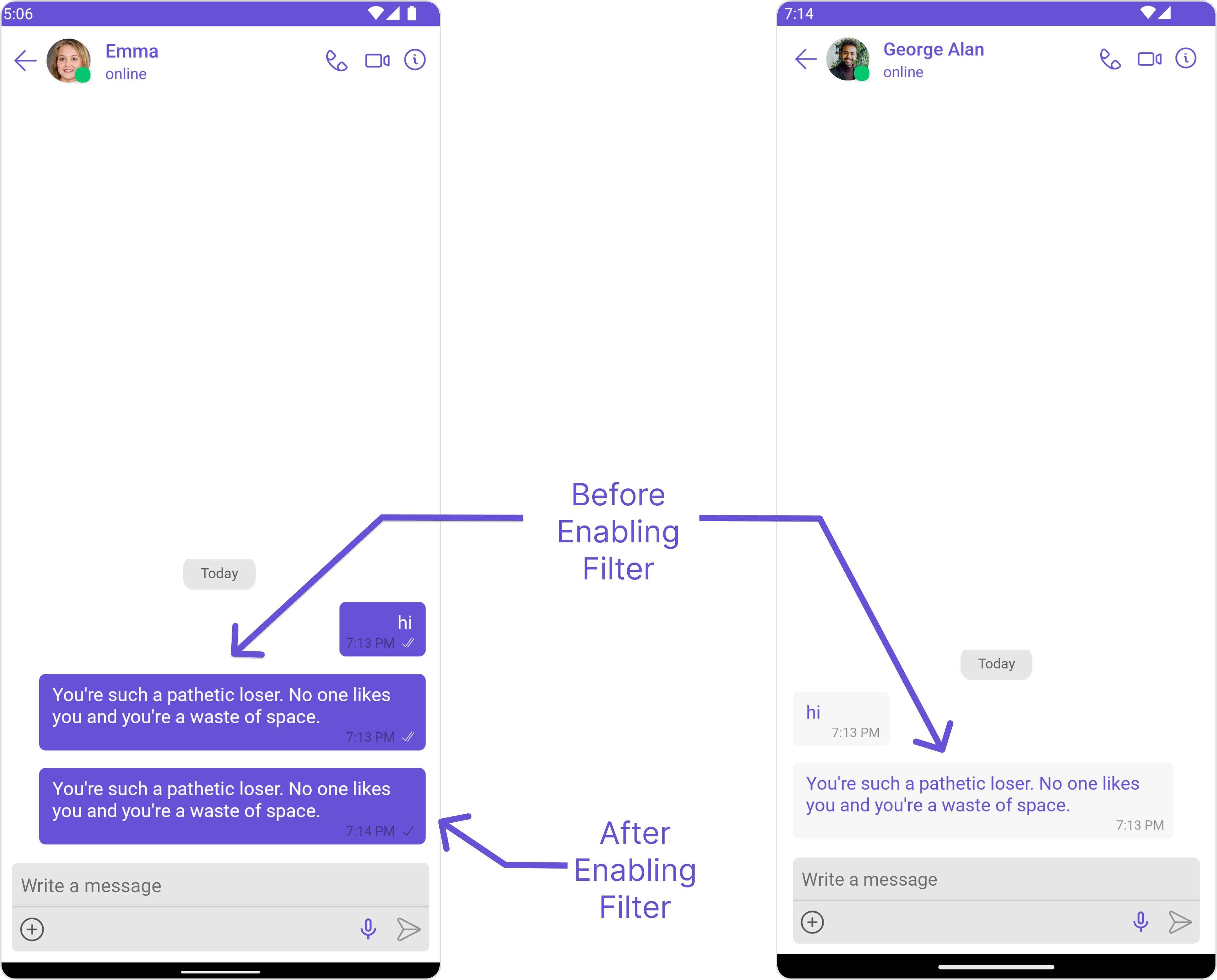
AI Platform Circumvention
AI Platform Circumvention
Detects attempts by users to bypass platform rules using sentence similarity analysis.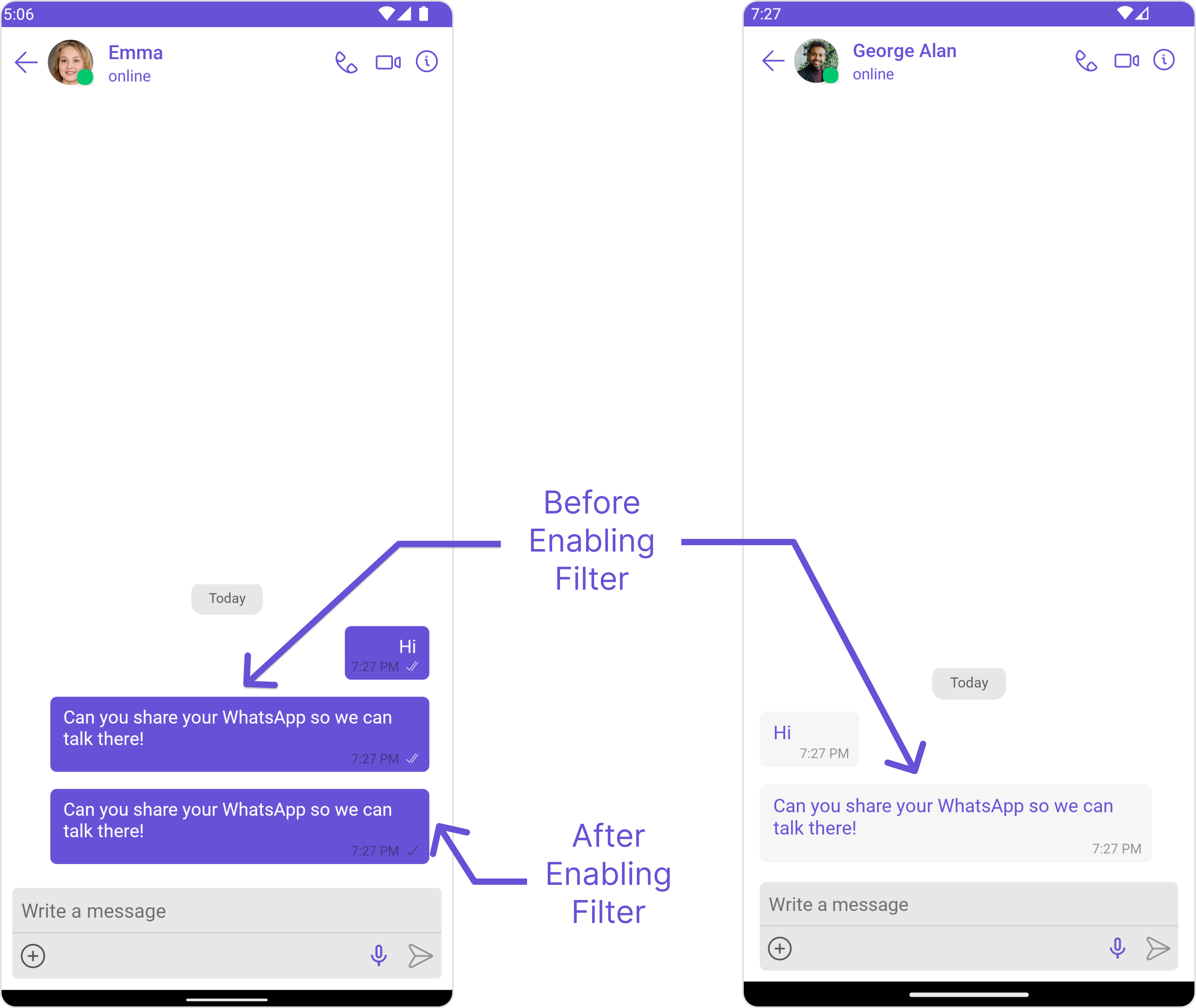
AI Scam Detection
AI Scam Detection
Identifies scam-related messages including phishing attempts, fake offers, and fraudulent schemes.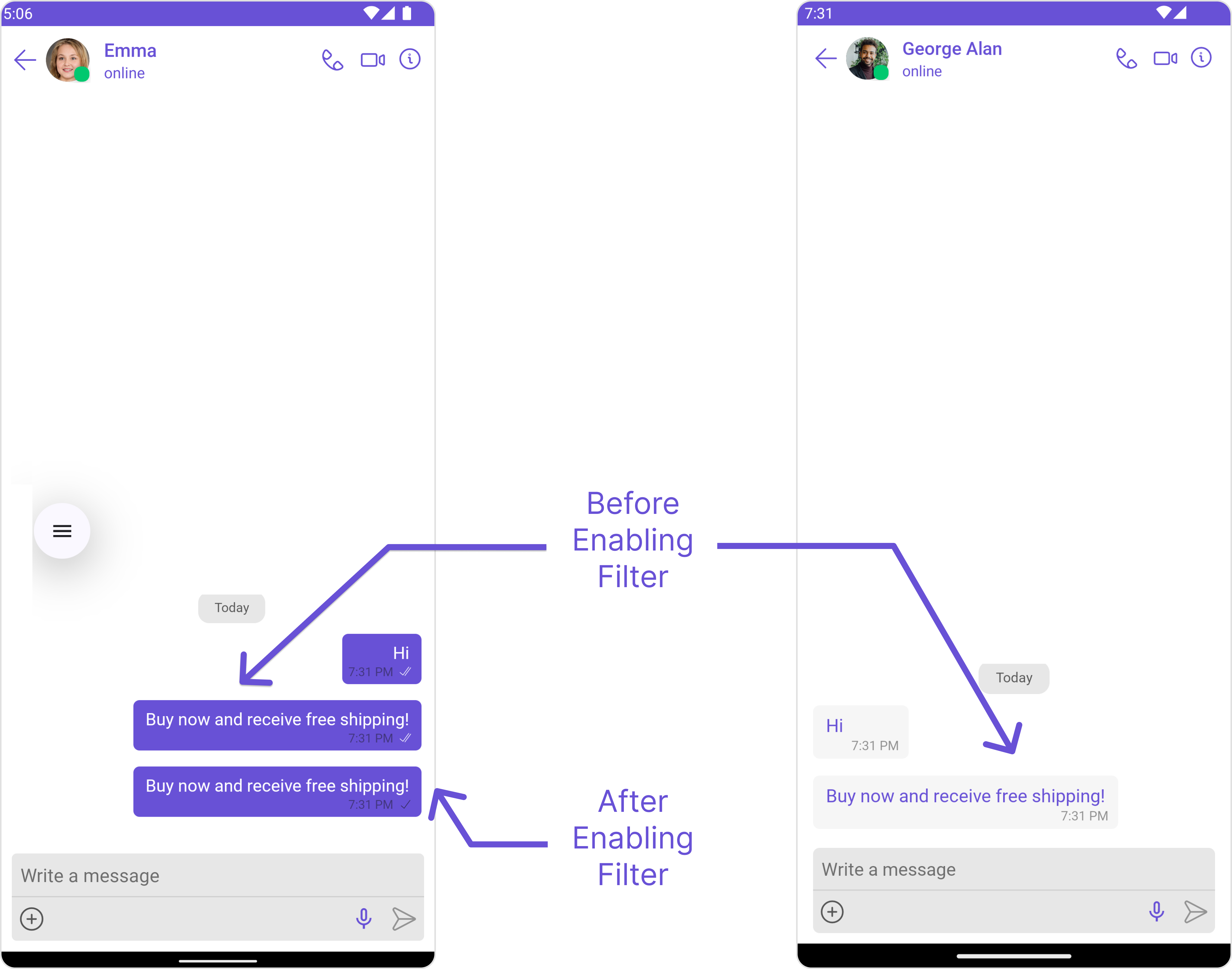
AI Spam Detection
AI Spam Detection
Detects and filters spam messages by analyzing content patterns and identifying unwanted communications.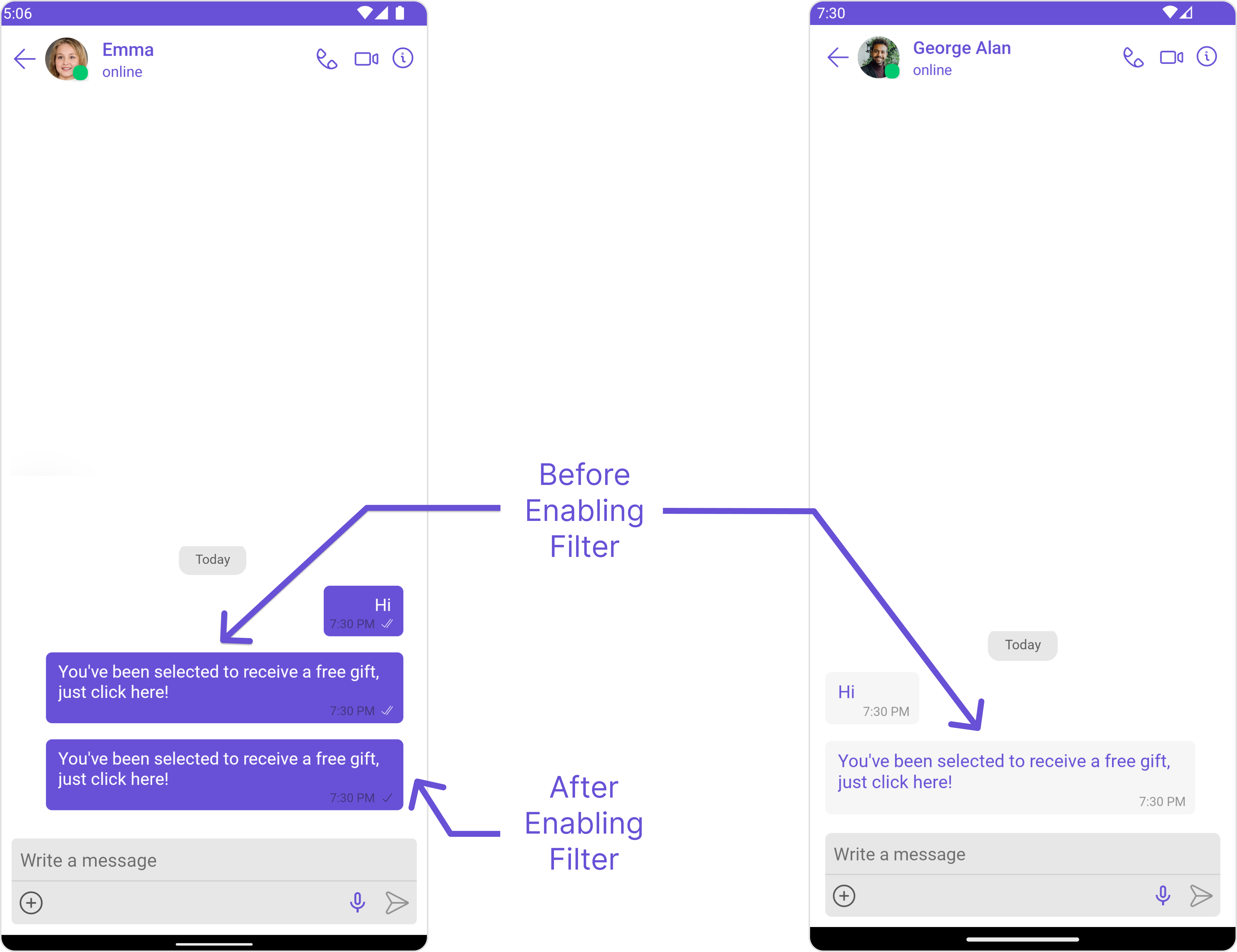
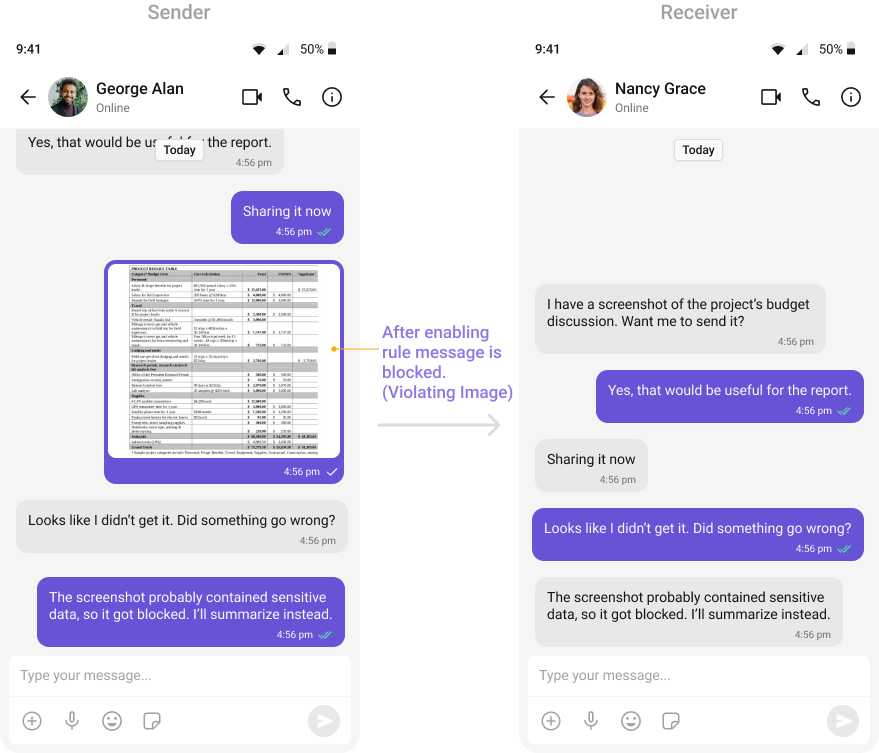
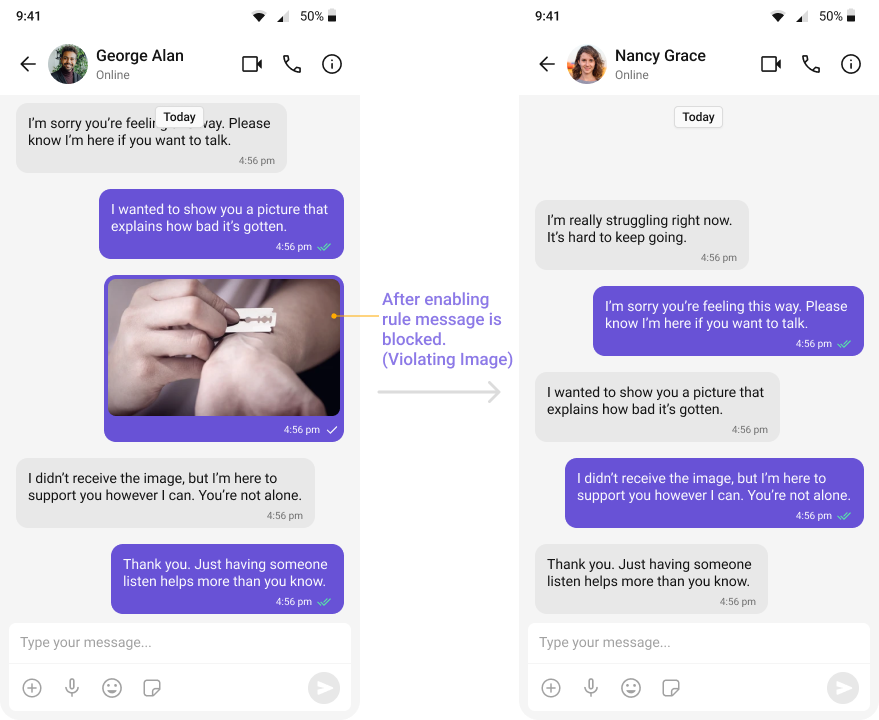
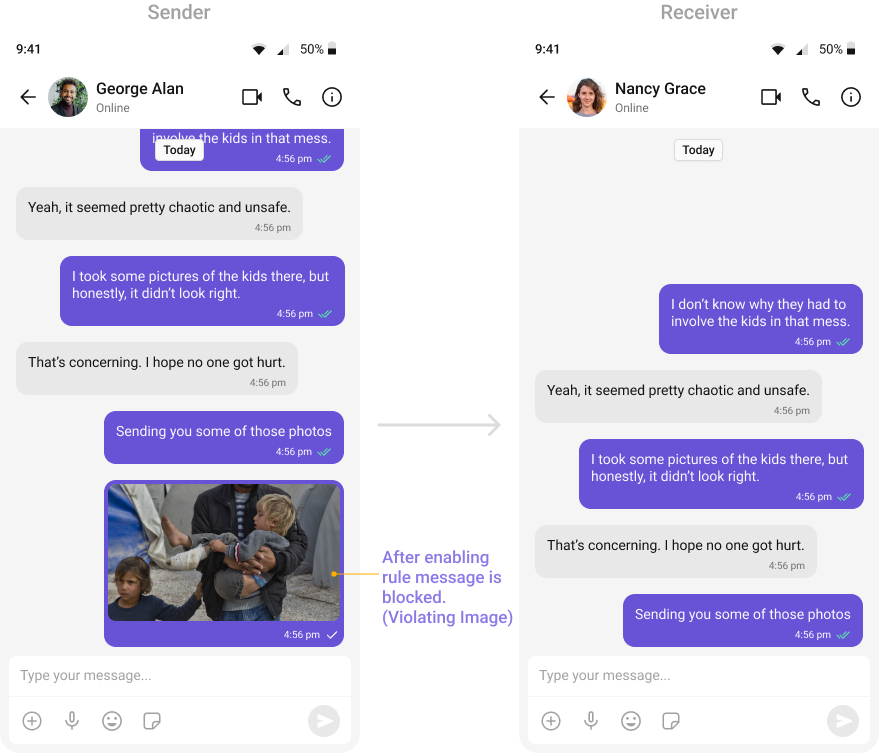
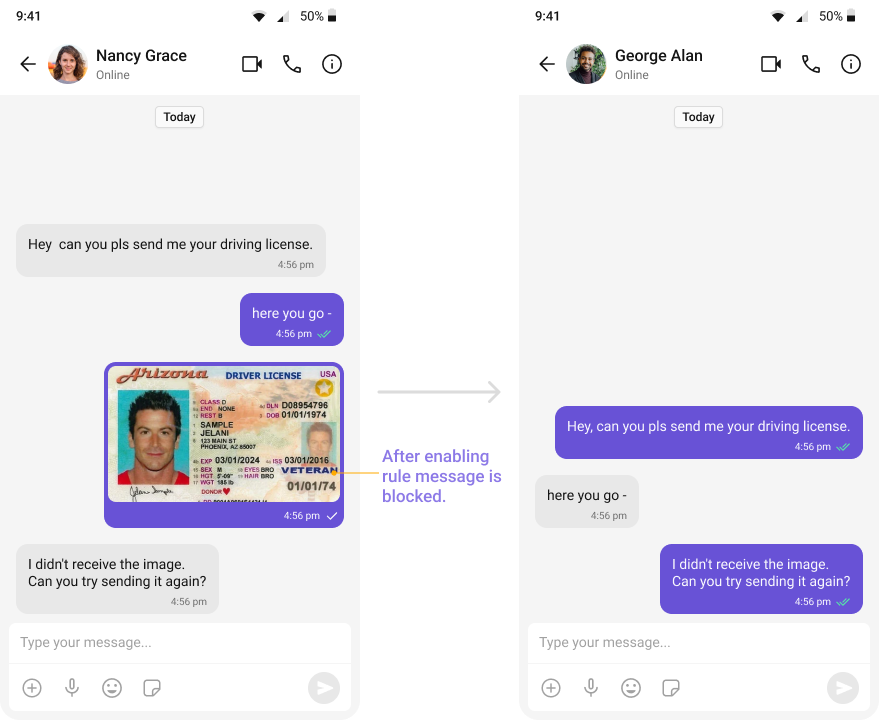
- OpenAI Text Rules
OpenAI: Hate and Harassment (All Languages)
OpenAI: Hate and Harassment (All Languages)
Detects hateful or harassing language toward individuals or groups using OpenAI moderation.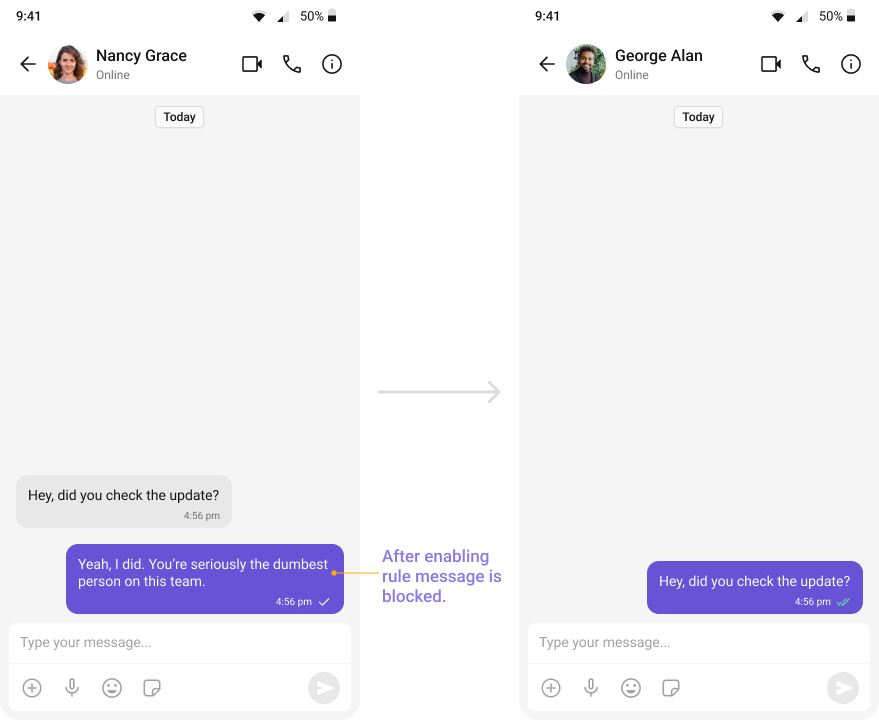
OpenAI: Privacy and Sensitive Info (All Languages)
OpenAI: Privacy and Sensitive Info (All Languages)
Detects messages sharing personal or sensitive information without consent.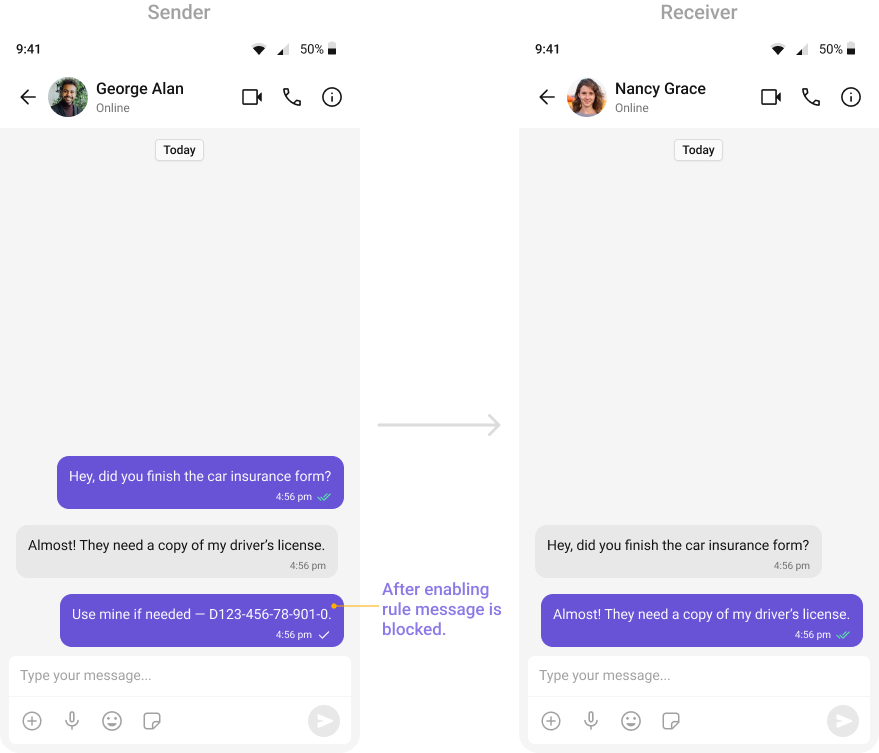
OpenAI: Explicit or Inappropriate Content (All Languages)
OpenAI: Explicit or Inappropriate Content (All Languages)
Identifies explicit sexual descriptions, graphic violence, or unsuitable text.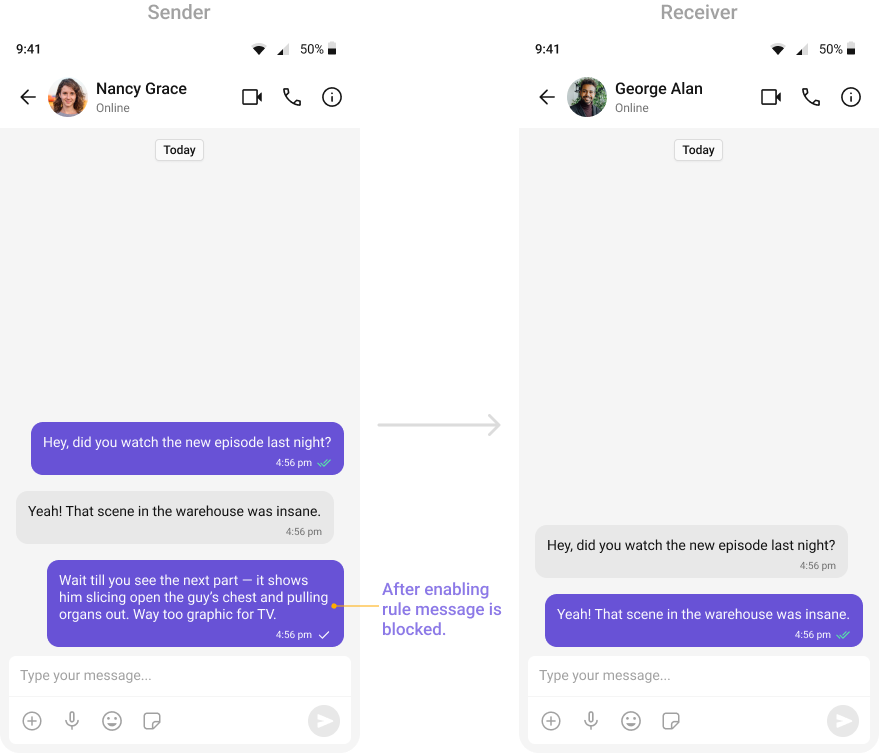
OpenAI: Spam and Scam (All Languages)
OpenAI: Spam and Scam (All Languages)
Detects spam messages, phishing attempts, and fraudulent schemes.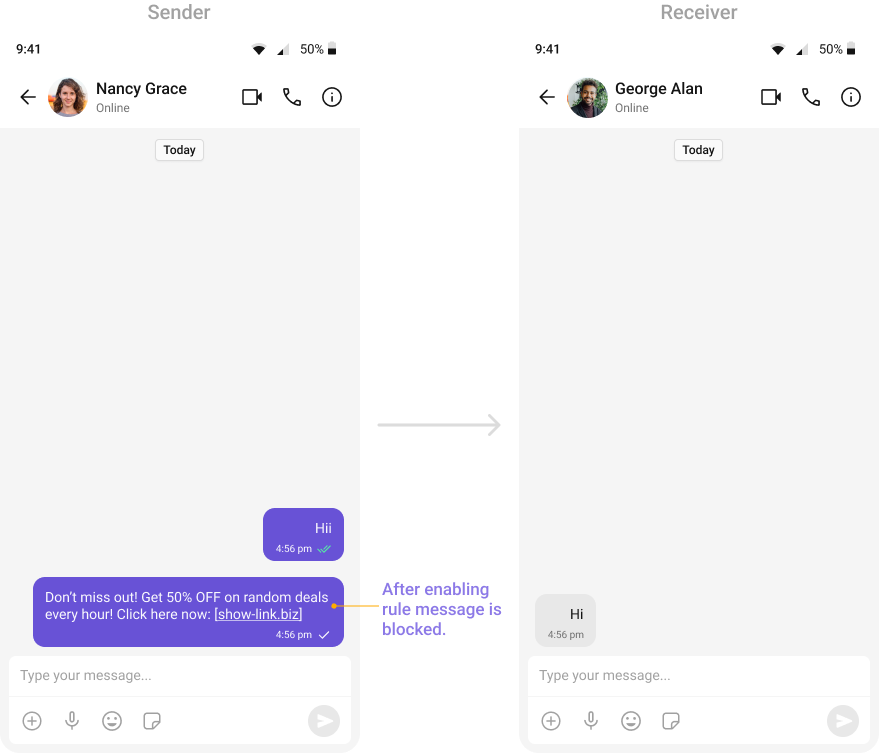
OpenAI: Violent or Terroristic Threats (All Languages)
OpenAI: Violent or Terroristic Threats (All Languages)
Identifies content promoting violence or extremism.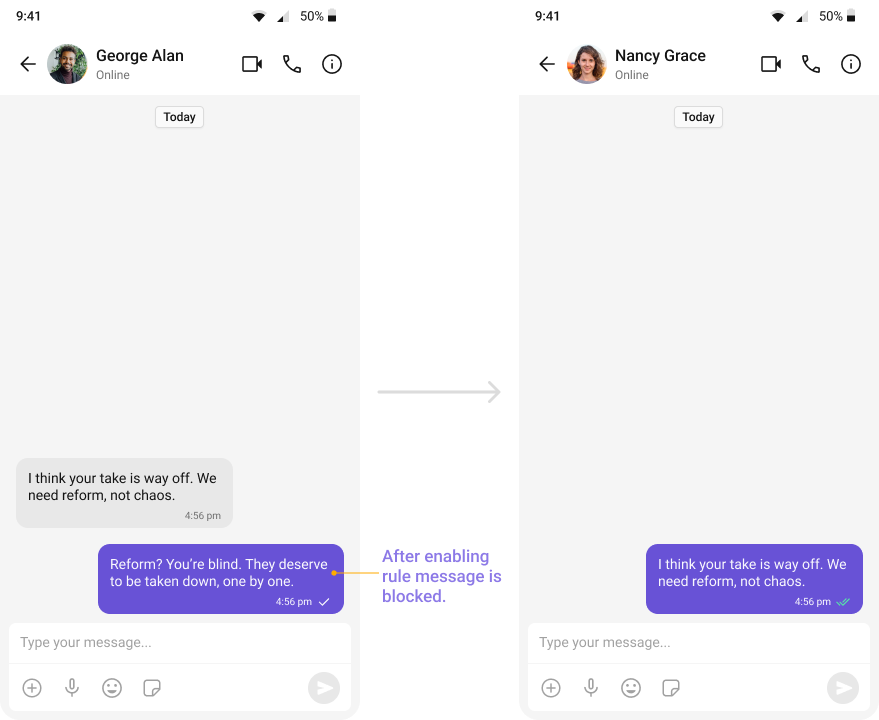
OpenAI: Non-Consensual Sexual Content (All Languages)
OpenAI: Non-Consensual Sexual Content (All Languages)
Detects sexual exploitation, grooming, or non-consensual content.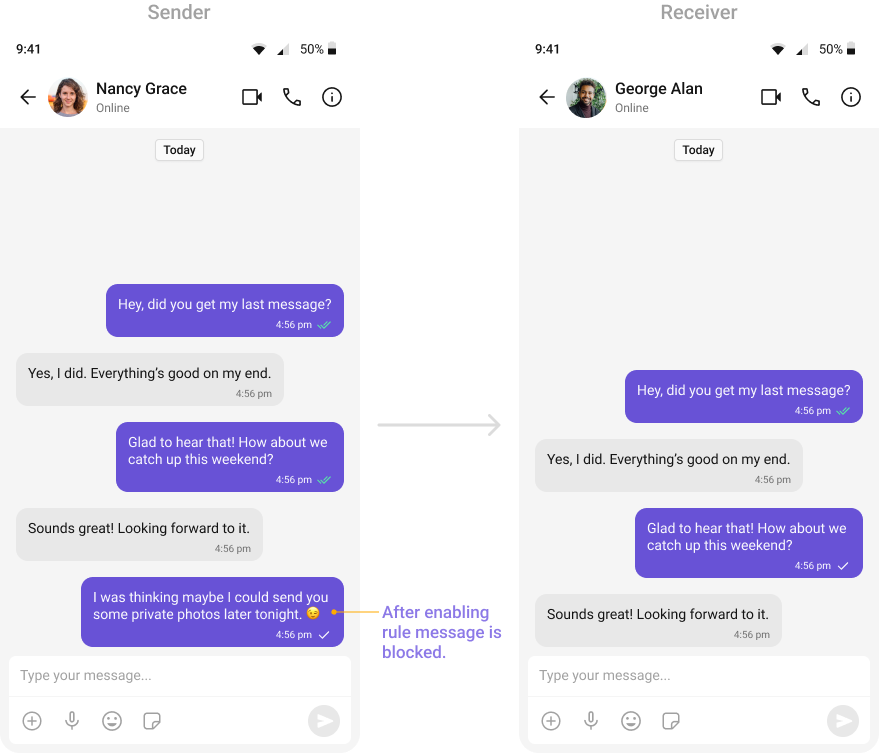
OpenAI: Impersonation or Fraud (All Languages)
OpenAI: Impersonation or Fraud (All Languages)
Identifies deceptive attempts to impersonate individuals or organizations.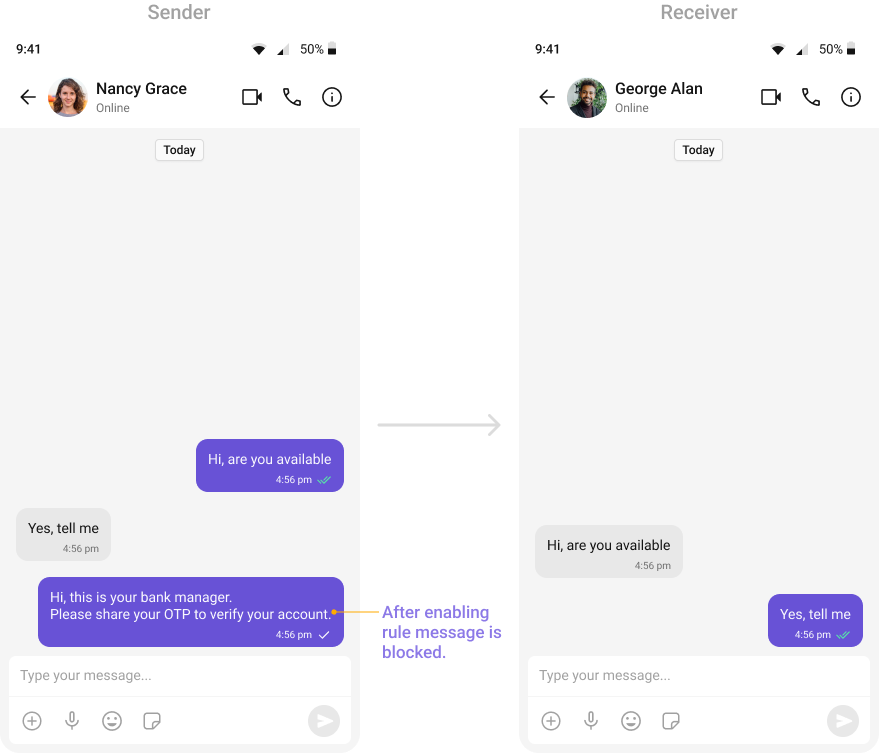
OpenAI: Self-Harm or Suicidal Content (All Languages)
OpenAI: Self-Harm or Suicidal Content (All Languages)
Detects messages suggesting self-harm or suicidal thoughts.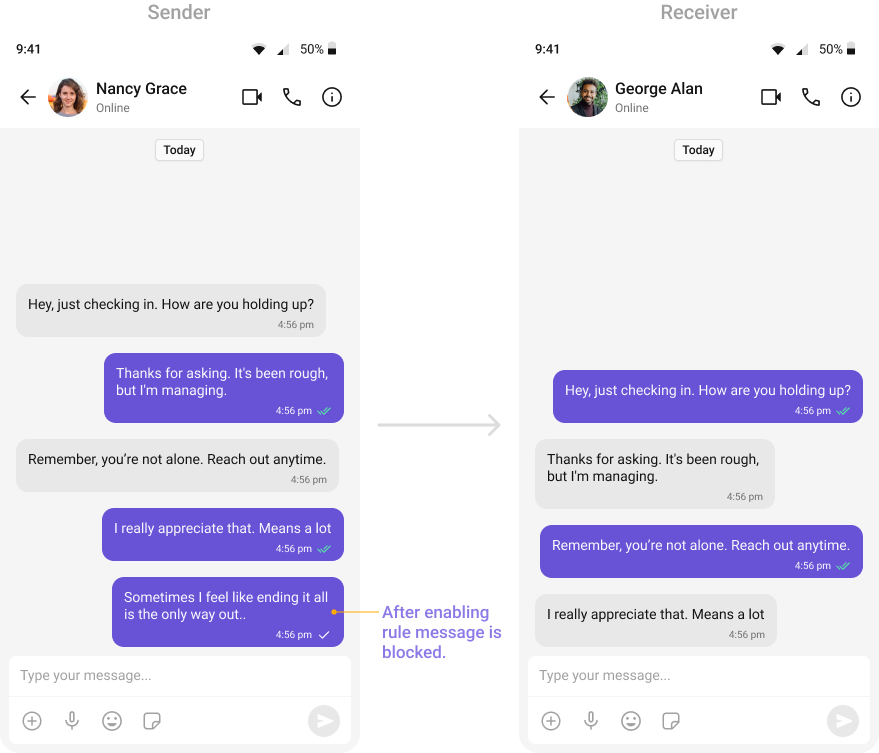
Rule Configuration
Filters
Filters narrow down which messages are checked by a rule based on sender or receiver attributes:Conditions
Conditions define what content triggers the rule:
You can set a confidence percentage for AI-based conditions to control sensitivity.
Actions
Actions determine what happens when content matches the conditions:Managing Rules
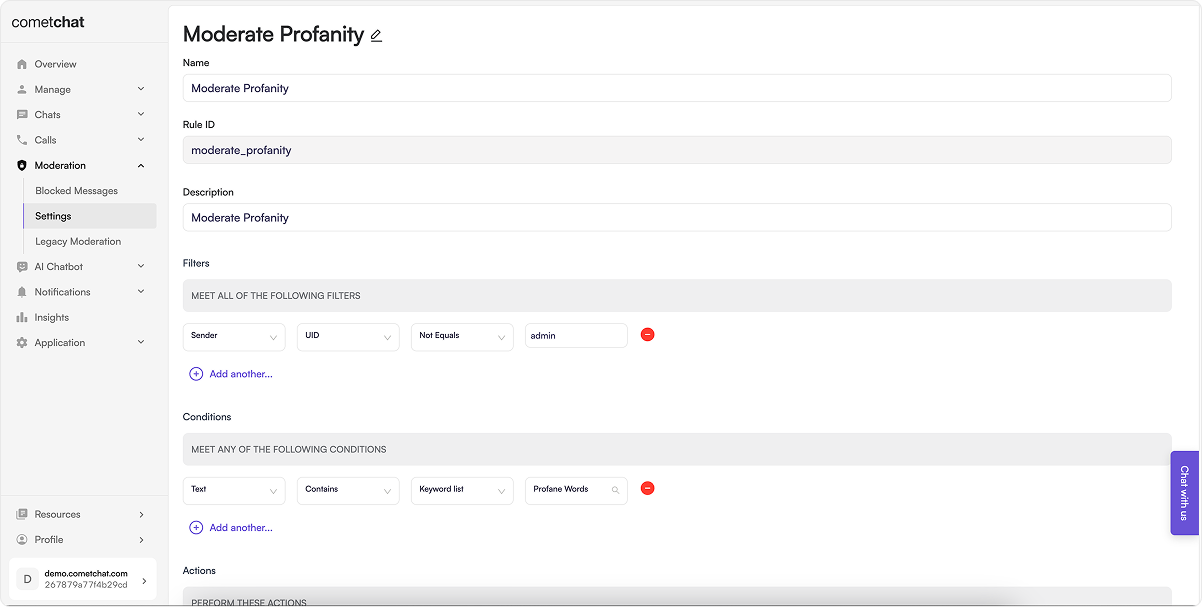
Create Rule
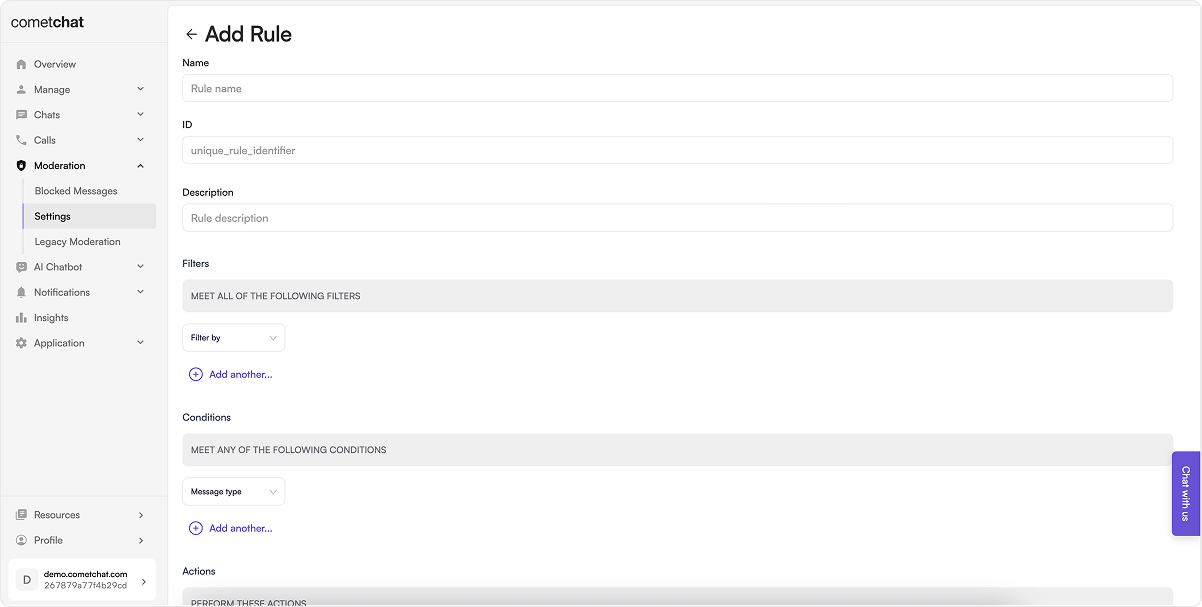
- Click Add in the Rules tab
- Configure:
- Name: Descriptive name for the rule
- Rule ID: Unique identifier
- Description: Purpose of the rule
- Filter: Who the rule applies to
- Condition: What triggers the rule
- Action: What happens when triggered
- Click Save
- Enable the rule to start moderating
Regex Pattern Restrictions: When using Word patterns (regex) in conditions, avoid greedy patterns like
.*, .+, or unbounded quantifiers (\d+, \w+). Use bounded patterns instead (e.g., \d{3,10} instead of \d+) to prevent performance issues. See Lists Management for more details.List Rules
All configured rules are displayed in the Rules tab with their name, status, and actions.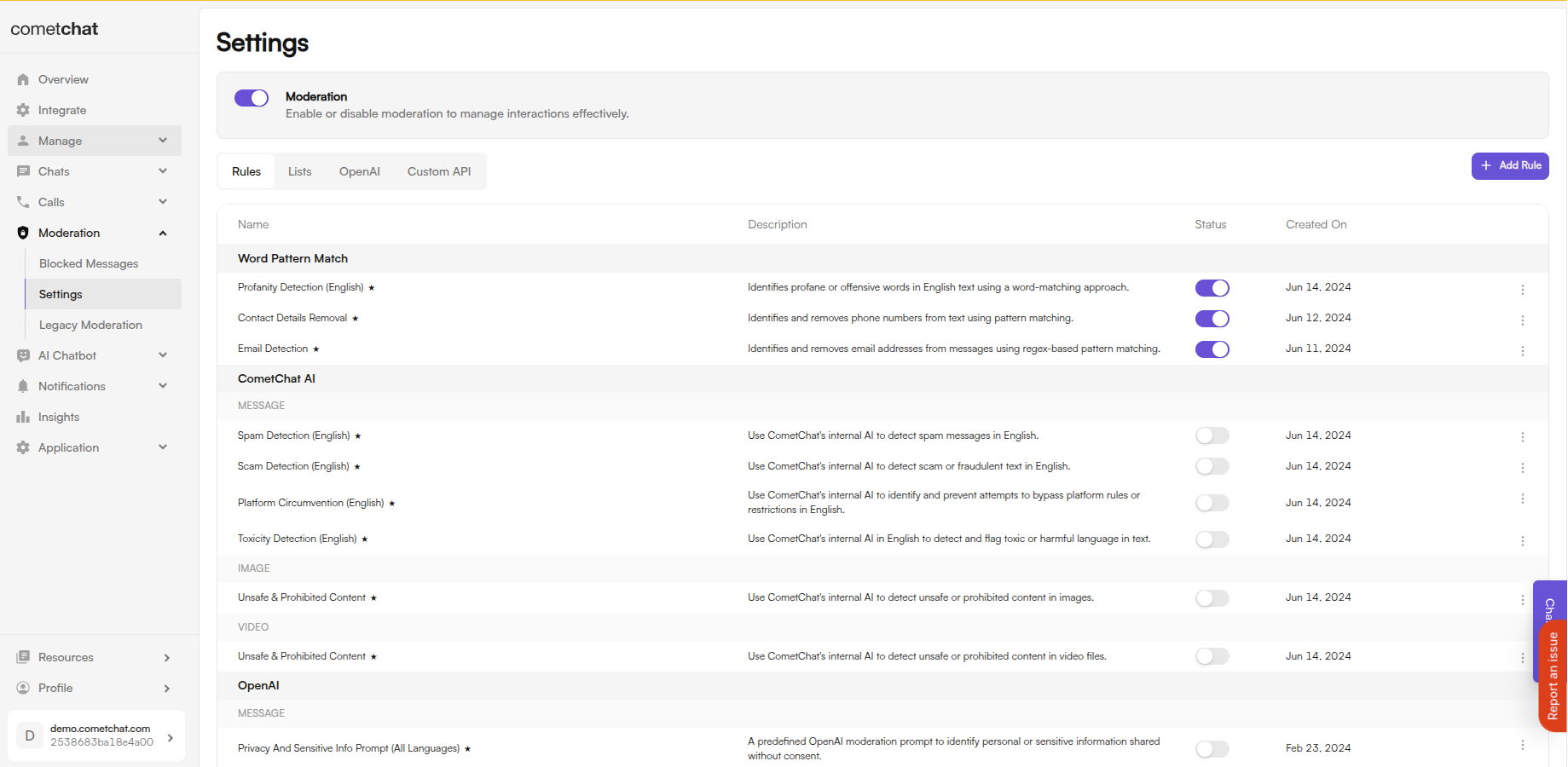
Update Rule
- Click Edit in the action menu
- Modify the rule settings
- Click Save
Delete Rule
Click Delete in the action menu and confirm.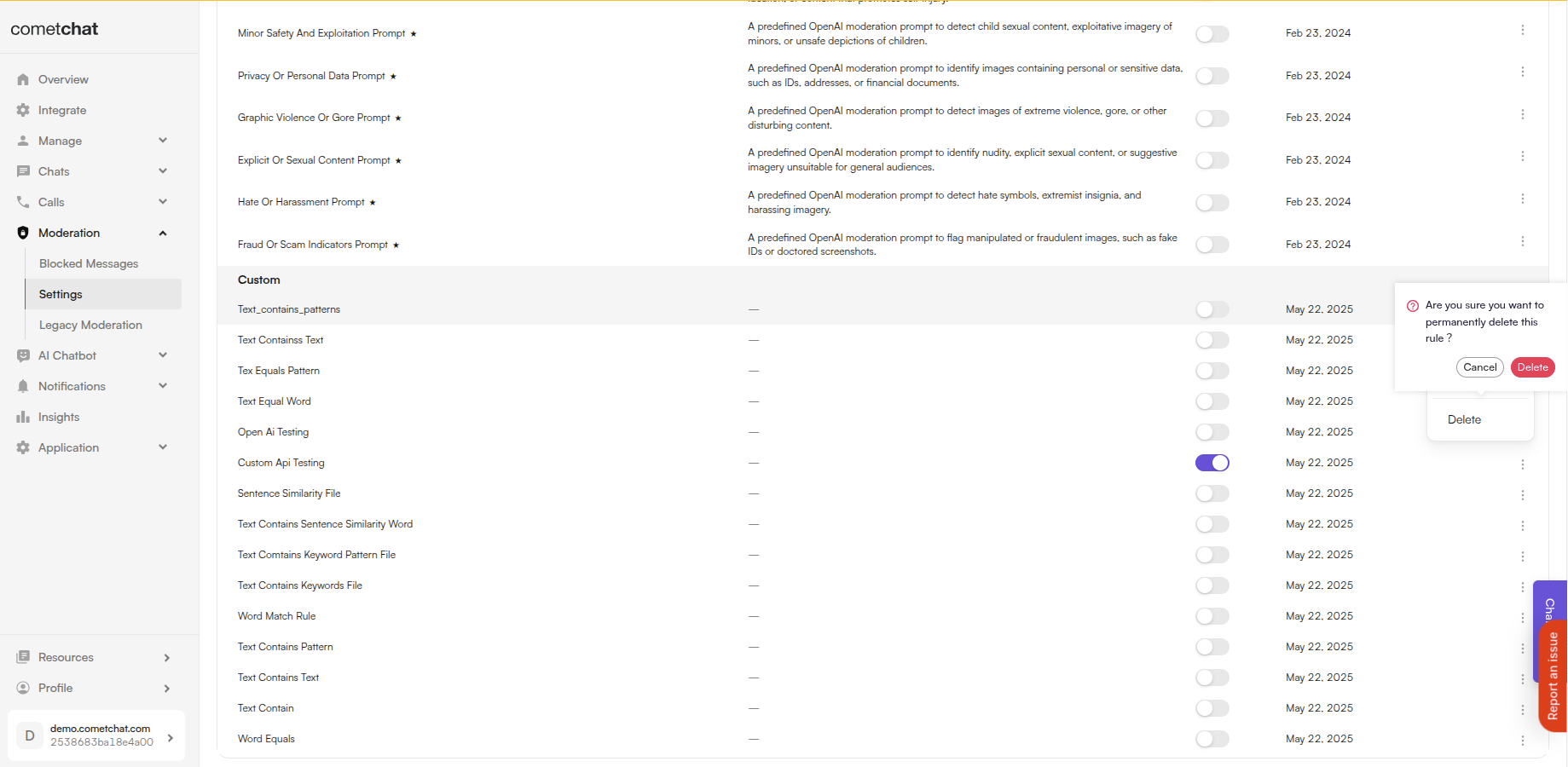
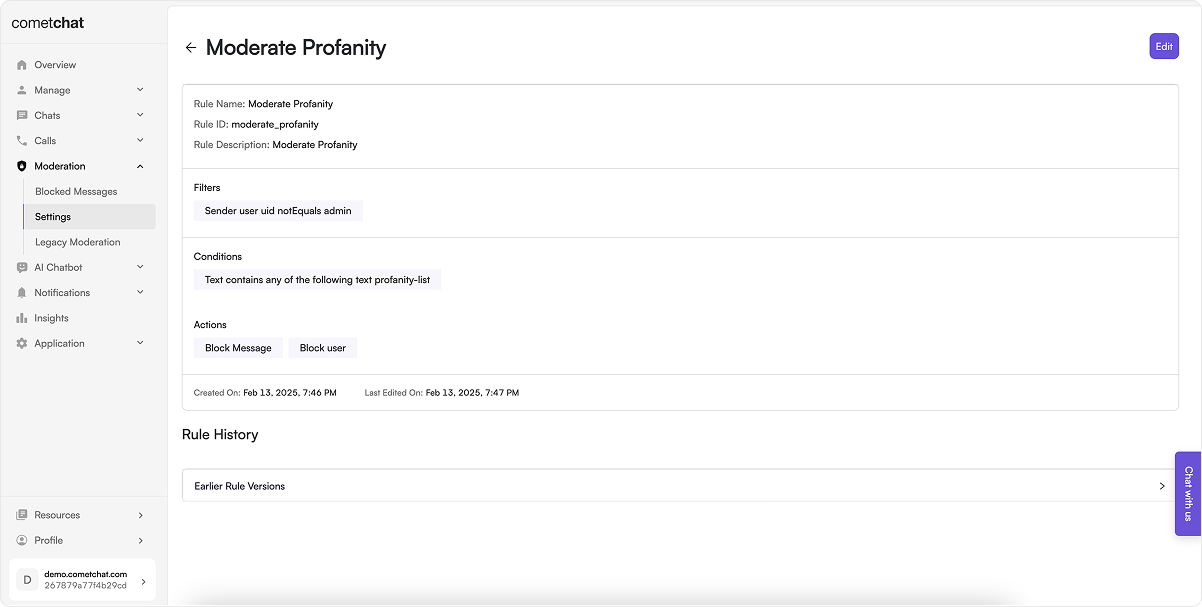
Rule Revisions
Track the history of changes made to a rule:- Click View in the action menu
- Navigate to Rule History
Related Resources
Lists Management
Create custom keyword lists for your rules
Blocked Messages
View and manage blocked content
Flagged Messages
Review flagged content
SDK Integration
Handle moderation in custom UI
- Profanity Filter
- AI Toxicity Detection
- AI Image Moderation
- OpenAI Hate & Harassment
Recommended: