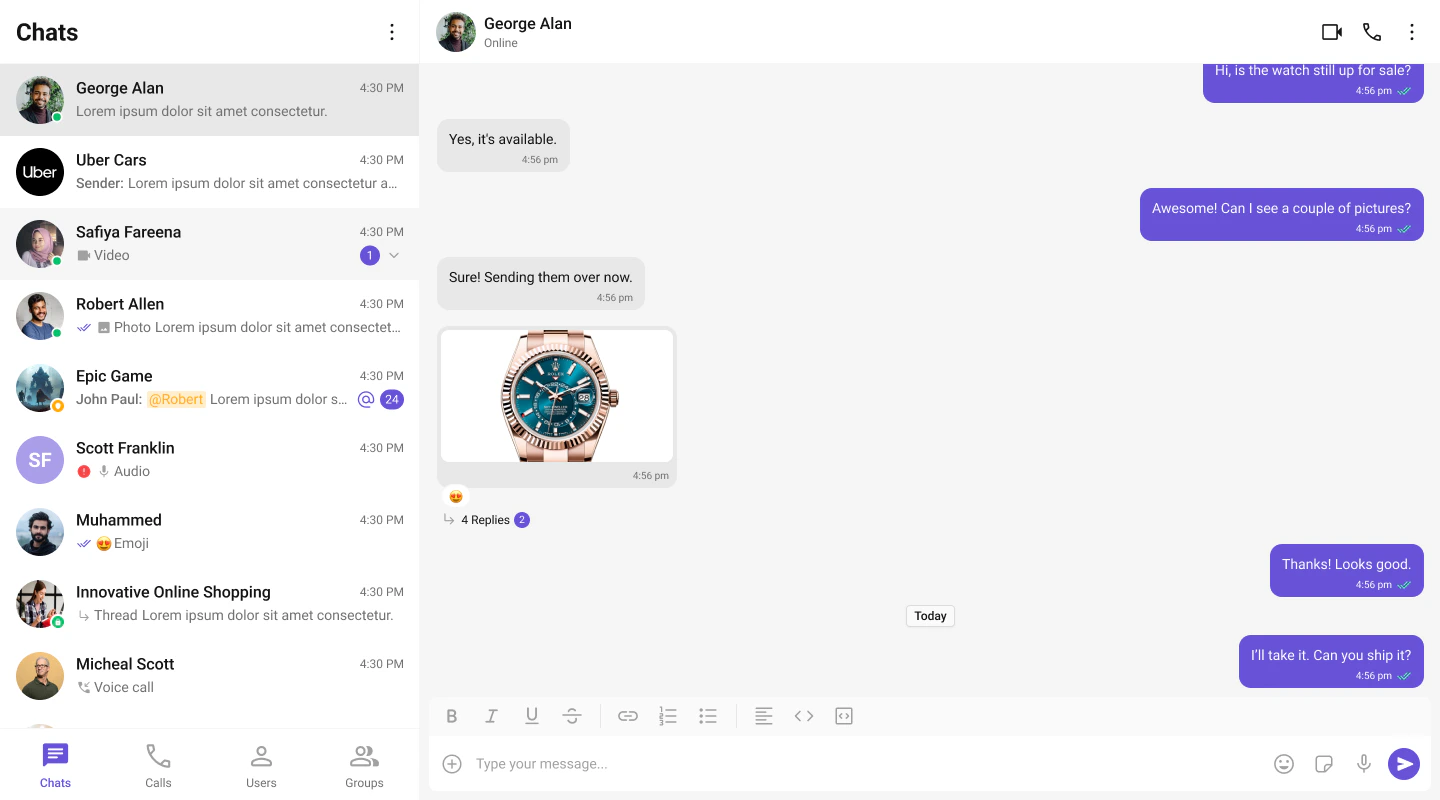
import { useEffect, useState } from "react";
import { CometChat } from "@cometchat/chat-sdk-javascript";
import {
  CometChatUIKit,
  UIKitSettingsBuilder,
  CometChatProvider,
  CometChatConversations,
  CometChatUsers,
  CometChatCallLogs,
  CometChatGroupMembers,
  CometChatMessageHeader,
  CometChatMessageList,
  CometChatMessageComposer,
} from "@cometchat/chat-uikit-react";

type Tab = "chat" | "calls" | "users";

export default function TabbedChat() {
  const [ready, setReady] = useState(false);
  const [activeTab, setActiveTab] = useState<Tab>("chat");
  const [selectedUser, setSelectedUser] = useState<CometChat.User | undefined>(undefined);
  const [selectedGroup, setSelectedGroup] = useState<CometChat.Group | undefined>(undefined);
  const [selectedConversation, setSelectedConversation] = useState<CometChat.Conversation | undefined>(undefined);
  const [showDetails, setShowDetails] = useState(false);

  useEffect(() => {
    const settings = new UIKitSettingsBuilder()
      .setAppId("YOUR_APP_ID")
      .setRegion("YOUR_REGION")
      .setAuthKey("YOUR_AUTH_KEY")
      .subscribePresenceForAllUsers()
      .build();

    CometChatUIKit.init(settings).then(async () => {
      await CometChatUIKit.login("cometchat-uid-1");
      setReady(true);
    });
  }, []);

  if (!ready) return <div>Loading chat...</div>;

  const handleConversationClick = (conversation: CometChat.Conversation) => {
    setSelectedConversation(conversation); // highlights the open row in the Conversations list
    const entity = conversation.getConversationWith();
    if (conversation.getConversationType() === "user") {
      setSelectedUser(entity as CometChat.User);
      setSelectedGroup(undefined);
    } else {
      setSelectedGroup(entity as CometChat.Group);
      setSelectedUser(undefined);
    }
  };

  const handleUserClick = (user: CometChat.User) => {
    setSelectedUser(user);
    setSelectedGroup(undefined);
  };

  const handleCallClick = (call: any) => {
    const initiator = call.getInitiator();
    const receiver = call.getReceiver();

    // Determine the other party in the call
    if (receiver instanceof CometChat.User) {
      setSelectedUser(receiver);
      setSelectedGroup(undefined);
    } else if (receiver instanceof CometChat.Group) {
      setSelectedUser(undefined);
      setSelectedGroup(receiver);
    } else if (initiator instanceof CometChat.User) {
      setSelectedUser(initiator);
      setSelectedGroup(undefined);
    }
  };

  return (
    <CometChatProvider>
      <div style={{ display: "flex", height: "100vh", width: "100%" }}>
        <div style={{
          width: 360,
          height: "100%",
          display: "flex",
          flexDirection: "column",
          borderRight: "1px solid #eee",
        }}>
          <div style={{
            display: "flex",
            borderBottom: "1px solid #eee",
            background: "#fff",
          }}>
            <button
              style={{
                flex: 1,
                padding: "12px 0",
                border: "none",
                background: "none",
                cursor: "pointer",
                fontWeight: 500,
                fontSize: 14,
                color: activeTab === "chat" ? "#6851d6" : "#727272",
                borderBottom: activeTab === "chat" ? "2px solid #6851d6" : "2px solid transparent",
              }}
              onClick={() => setActiveTab("chat")}
            >
              Chats
            </button>
            <button
              style={{
                flex: 1,
                padding: "12px 0",
                border: "none",
                background: "none",
                cursor: "pointer",
                fontWeight: 500,
                fontSize: 14,
                color: activeTab === "calls" ? "#6851d6" : "#727272",
                borderBottom: activeTab === "calls" ? "2px solid #6851d6" : "2px solid transparent",
              }}
              onClick={() => setActiveTab("calls")}
            >
              Calls
            </button>
            <button
              style={{
                flex: 1,
                padding: "12px 0",
                border: "none",
                background: "none",
                cursor: "pointer",
                fontWeight: 500,
                fontSize: 14,
                color: activeTab === "users" ? "#6851d6" : "#727272",
                borderBottom: activeTab === "users" ? "2px solid #6851d6" : "2px solid transparent",
              }}
              onClick={() => setActiveTab("users")}
            >
              Users
            </button>
          </div>

          <div style={{ flex: 1, overflow: "hidden", display: "flex", flexDirection: "column" }}>
            {activeTab === "chat" && (
              <CometChatConversations
                onItemClick={handleConversationClick}
                activeConversation={selectedConversation}
              />
            )}
            {activeTab === "calls" && (
              <CometChatCallLogs onItemClick={handleCallClick} />
            )}
            {activeTab === "users" && (
              <CometChatUsers onItemClick={handleUserClick} activeUser={selectedUser} />
            )}
          </div>
        </div>

        {selectedUser || selectedGroup ? (
          <div style={{ flex: 1, height: "100%", display: "flex", flexDirection: "column" }}>
            <CometChatMessageHeader
              user={selectedUser}
              group={selectedGroup}
              onItemClick={() => setShowDetails(true)}
            />
            <CometChatMessageList user={selectedUser} group={selectedGroup} />
            <CometChatMessageComposer user={selectedUser} group={selectedGroup} />
          </div>
        ) : (
          <div style={{
            flex: 1,
            display: "flex",
            justifyContent: "center",
            alignItems: "center",
            background: "#f5f5f5",
            color: "#727272",
            font: "400 14px Roboto, sans-serif",
          }}>
            Select a conversation to start chatting
          </div>
        )}

        {/* Details / members side panel — opened from the header, closed via onBack */}
        {showDetails && selectedGroup && (
          <div style={{
            width: 320,
            height: "100%",
            borderLeft: "1px solid #eee",
            overflow: "hidden",
            display: "flex",
            flexDirection: "column",
          }}>
            <CometChatGroupMembers
              group={selectedGroup}
              onBack={() => setShowDetails(false)}
            />
          </div>
        )}
      </div>
    </CometChatProvider>
  );
}