

AI Integration Quick Reference
AI Integration Quick Reference
Instant Messaging
At the heart of CometChat’s functionality is the ability to support real-time text messaging. Users can send and receive instant messages, fostering quick and efficient communication.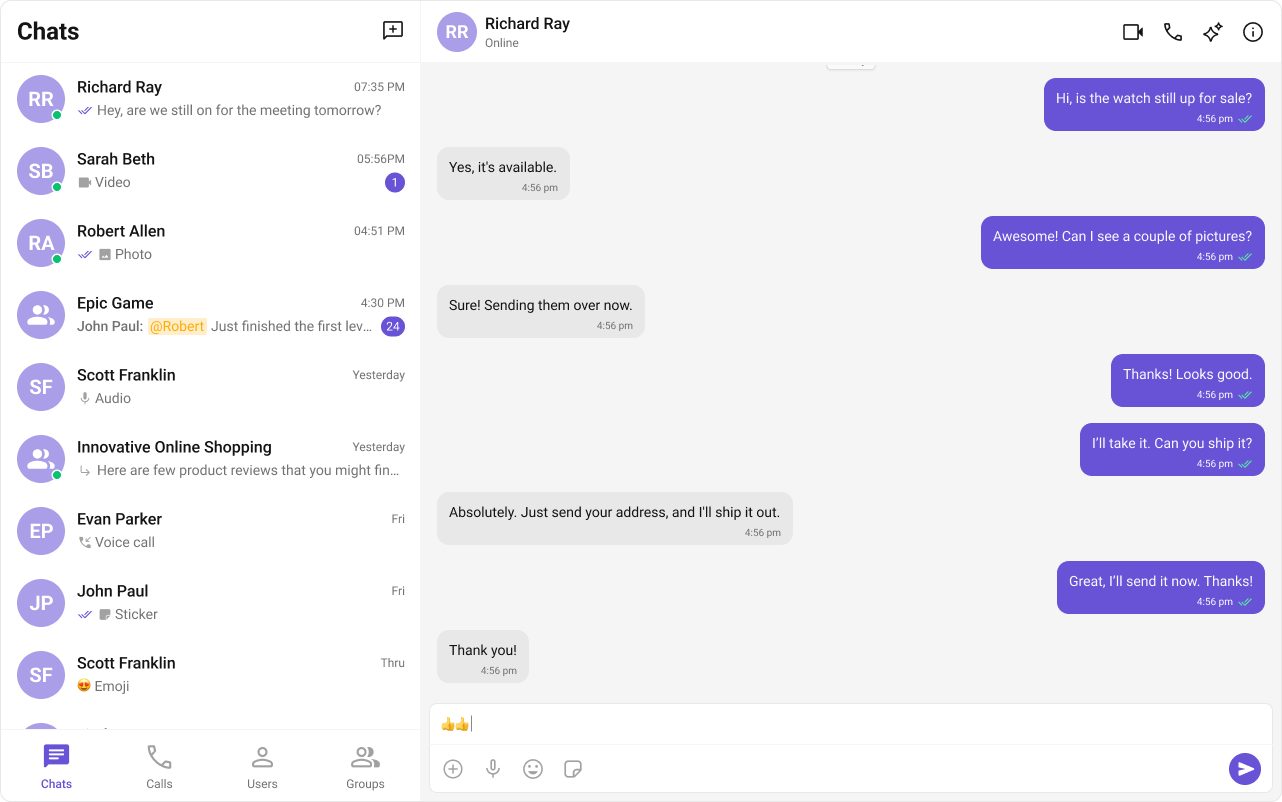
Media Sharing
CometChat supports sharing images, videos, audio files, and documents within conversations. Share multiple attachments in a single send — click the attachment button to open a multi-select picker, or drag-and-drop and paste files straight into the composer. The picks stage in a preview tray above the input box with per-file upload progress, remove, and retry, and send together with an optional caption — all out of the box.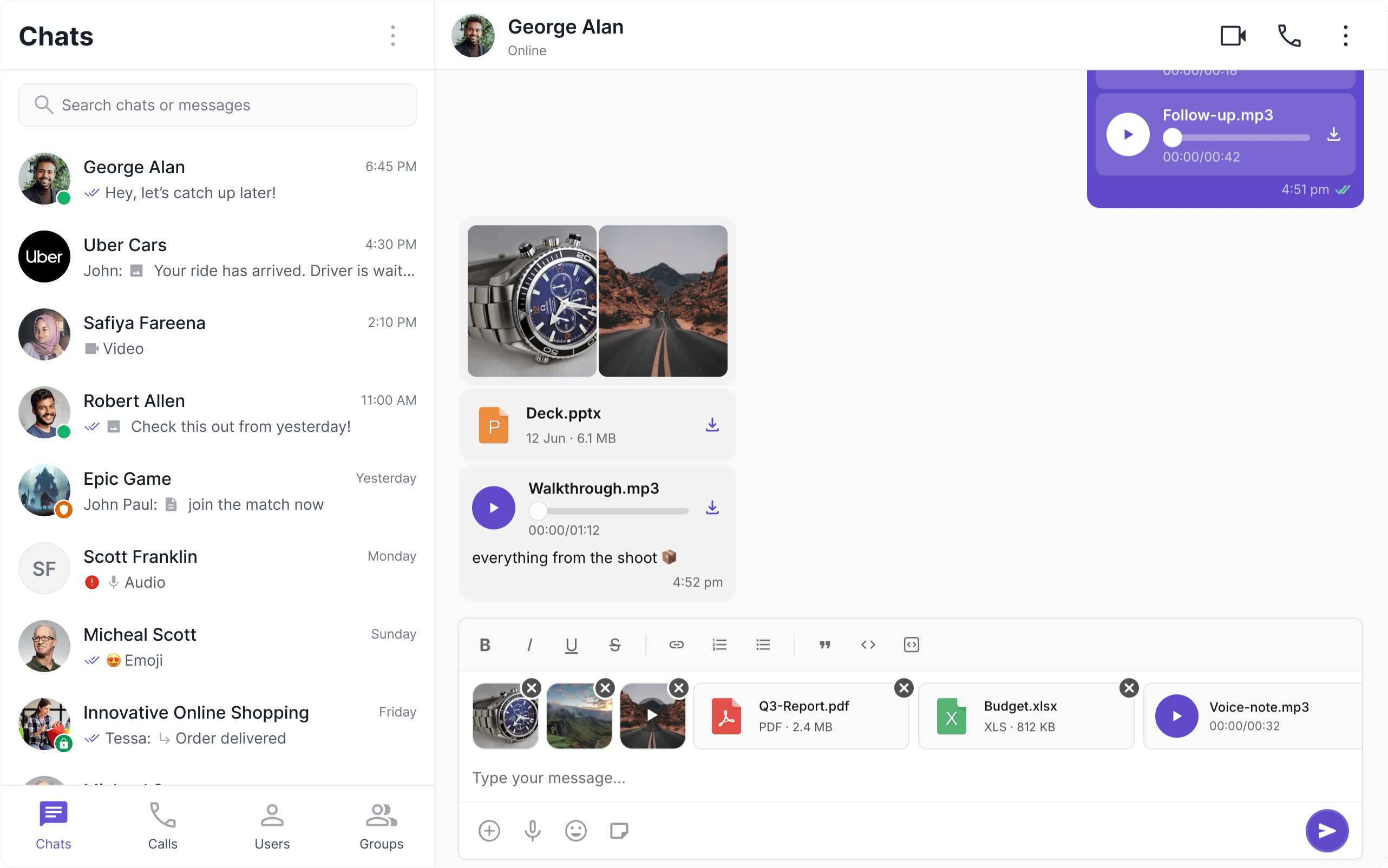
Read Receipts
CometChat’s Read Receipts feature provides visibility into the message status, letting users know when a message has been delivered and read. This brings clarity to the communication and ensures users are informed about the status of their messages.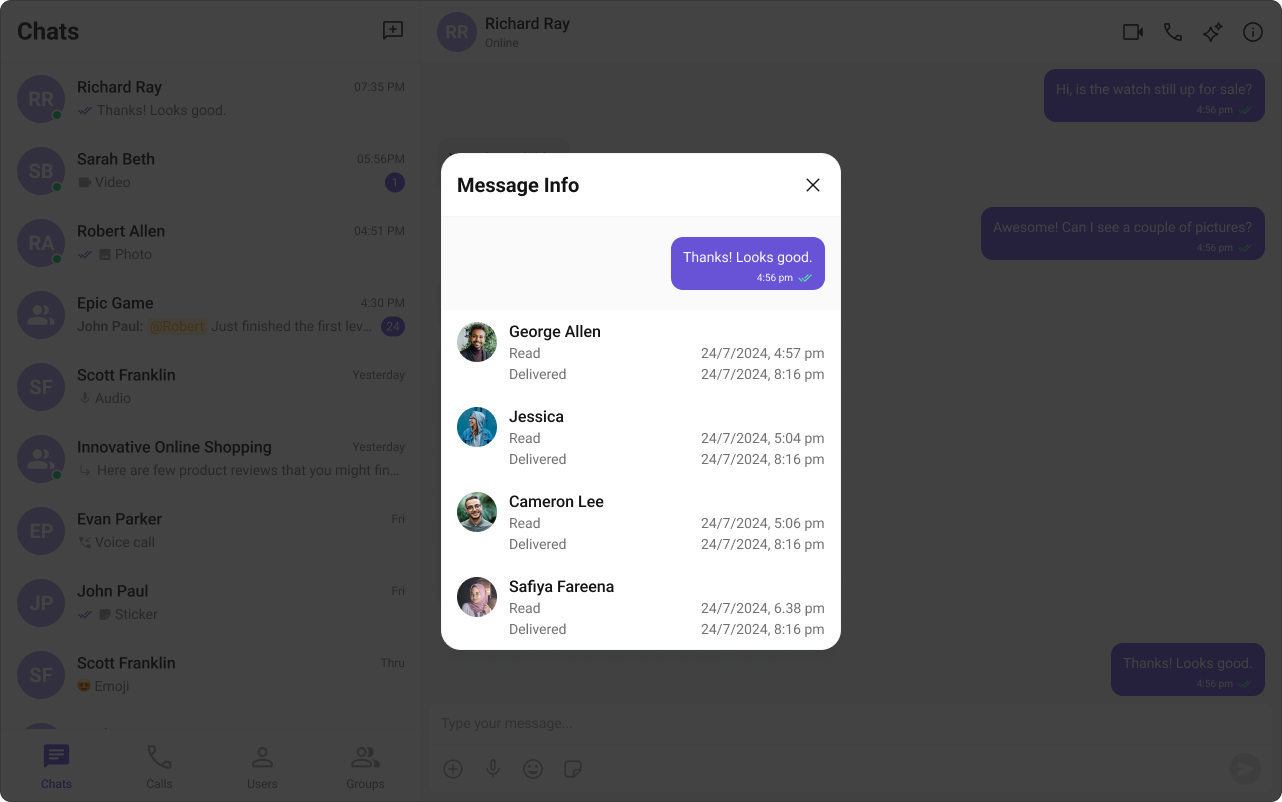
Mark as Unread
Mark as Unread feature allows users to manually mark messages as unread, helping them keep track of important conversations they want to revisit later. When enabled, the message list can automatically start from the first unread message, making it easier to pick up where you left off.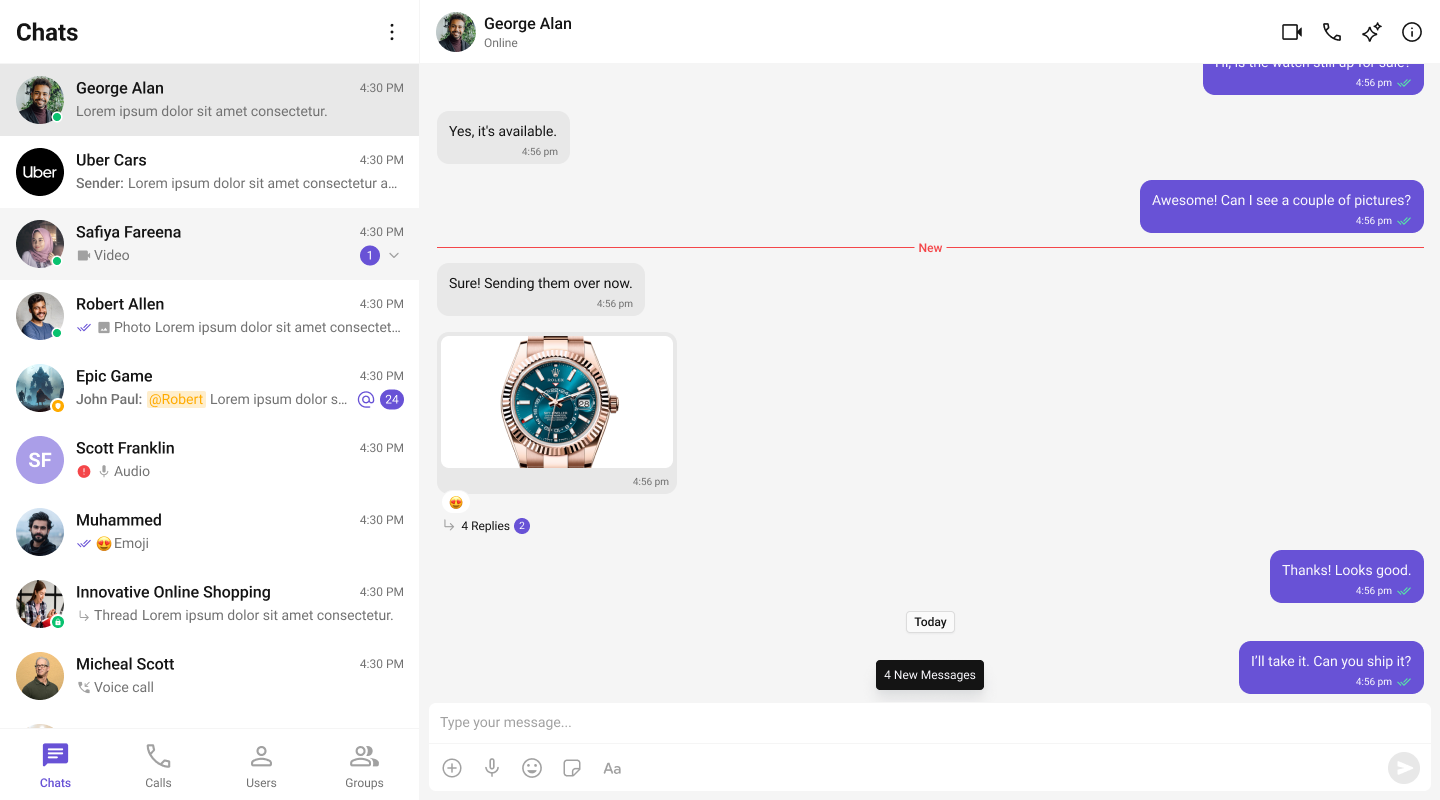
Typing Indicator
The Typing Indicator feature in CometChat shows when a user is typing a response in real-time, fostering a more interactive and engaging chat environment. This feature enhances the real-time communication experience, making conversations feel more natural and fluid.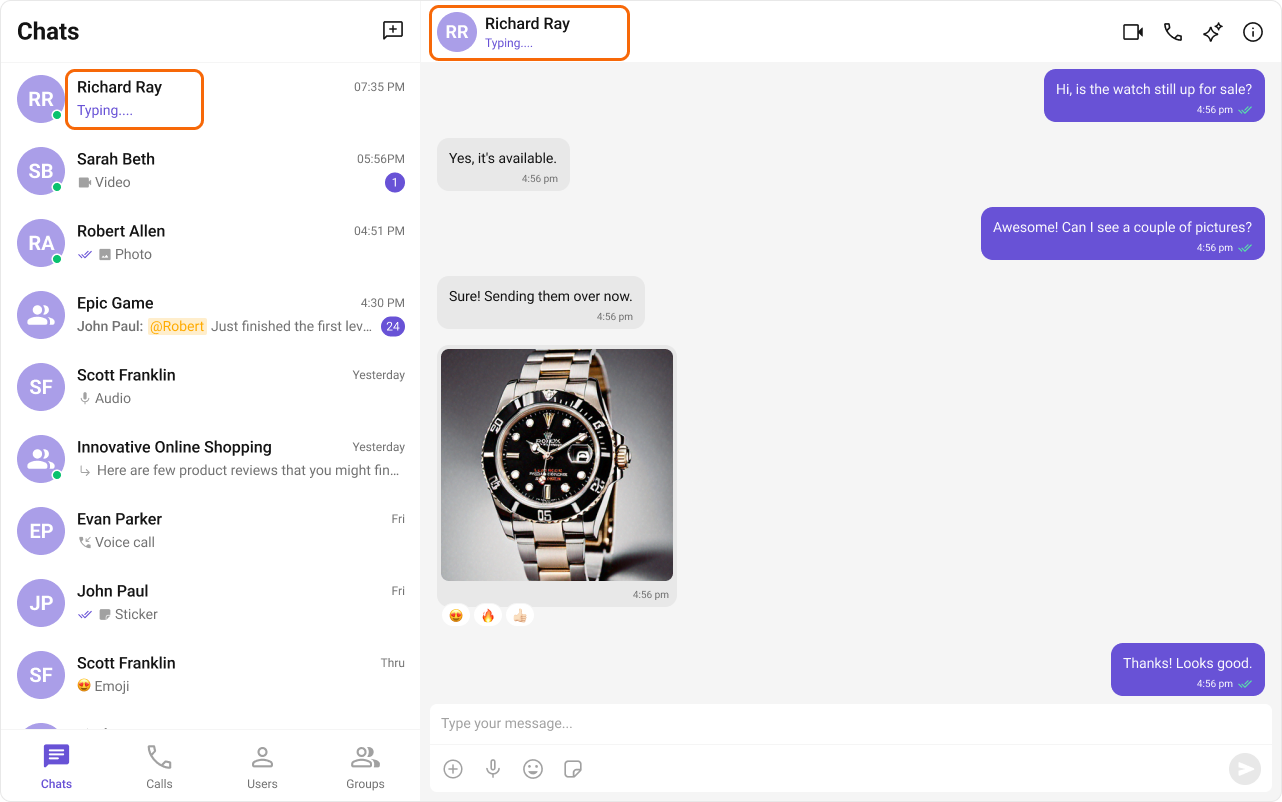
User Presence
CometChat’s User Presence feature allows users to see whether their contacts are online, offline. This helps users know the best time to initiate a conversation and sets expectations about response times.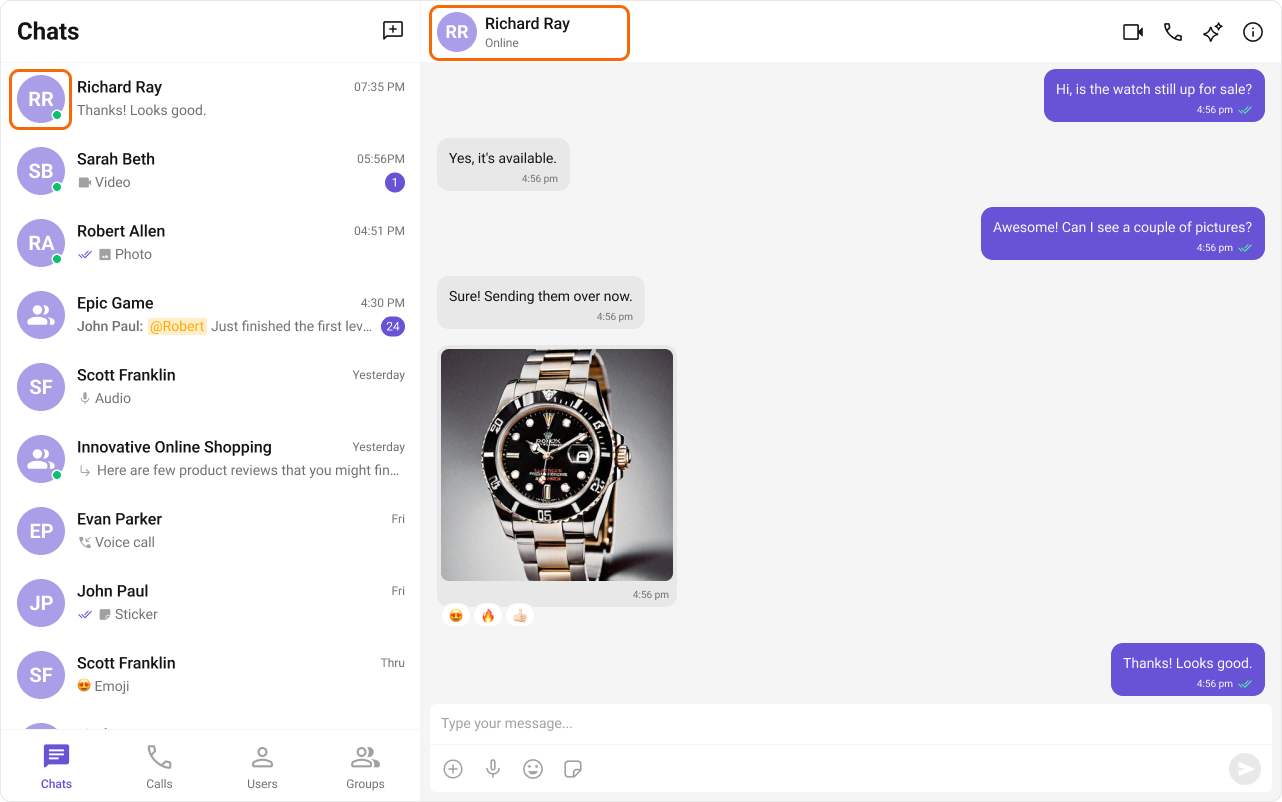
Reactions
CometChat’s Reactions feature adds a layer of expressiveness to your chat application by allowing users to react to messages. With reactions, users can convey a range of emotions or express their thoughts on a particular message without typing out a full response, enhancing their user experience and fostering greater engagement.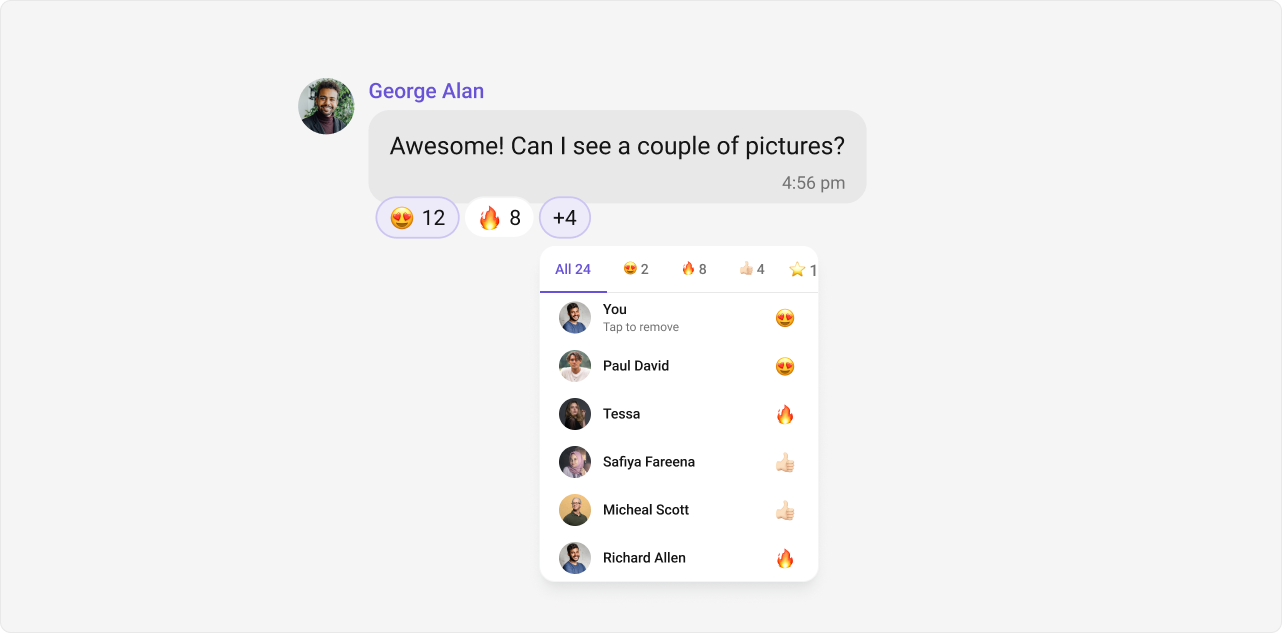
Mentions
Mentions is a robust feature provided by CometChat that enhances the interactivity and clarity of group or 1-1 chats by allowing users to directly address or refer to specific individuals in a conversation. The feature also supports group mentions like @all, enabling users to quickly notify all members in a group chat simultaneously.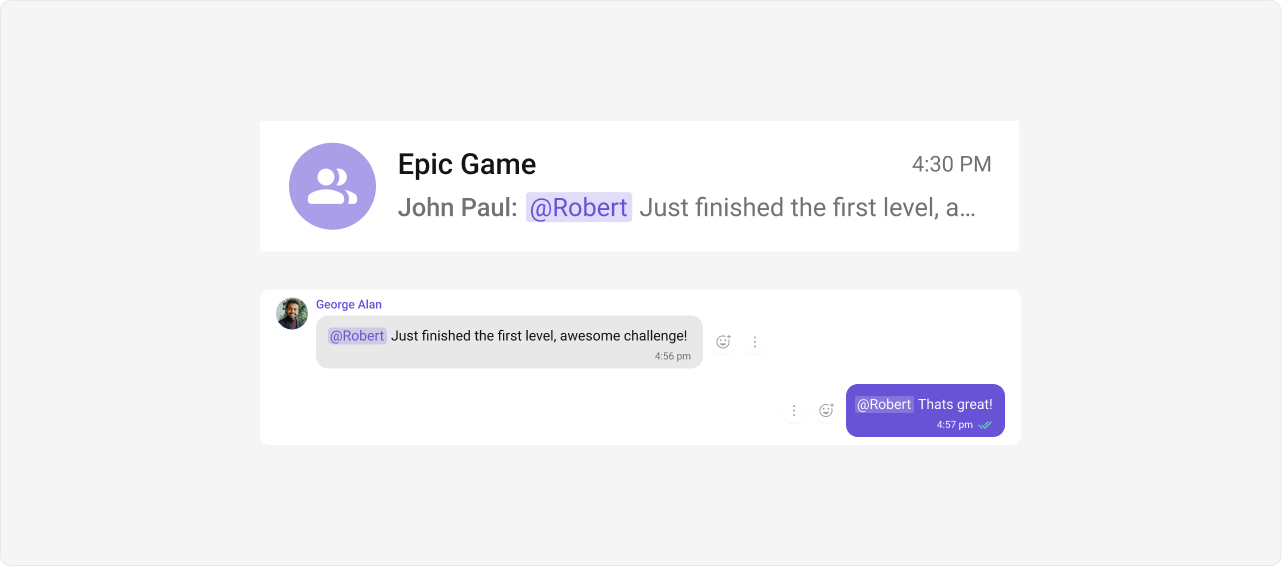
Rich Text Formatting
Rich Text Formatting allows users to style their messages with bold, italic, underline, strikethrough, code, links, lists, and blockquotes. This brings richer expression to conversations and helps users emphasize key points, making communication clearer and more engaging.Rich text is opt-in: enable it on the composer with
enableRichTextEditor (see Message Composer).
Threaded Conversations
The Threaded Conversations feature enables users to respond directly to a specific message in a chat. This keeps conversations organized and enhances the user experience by maintaining context, especially in group chats.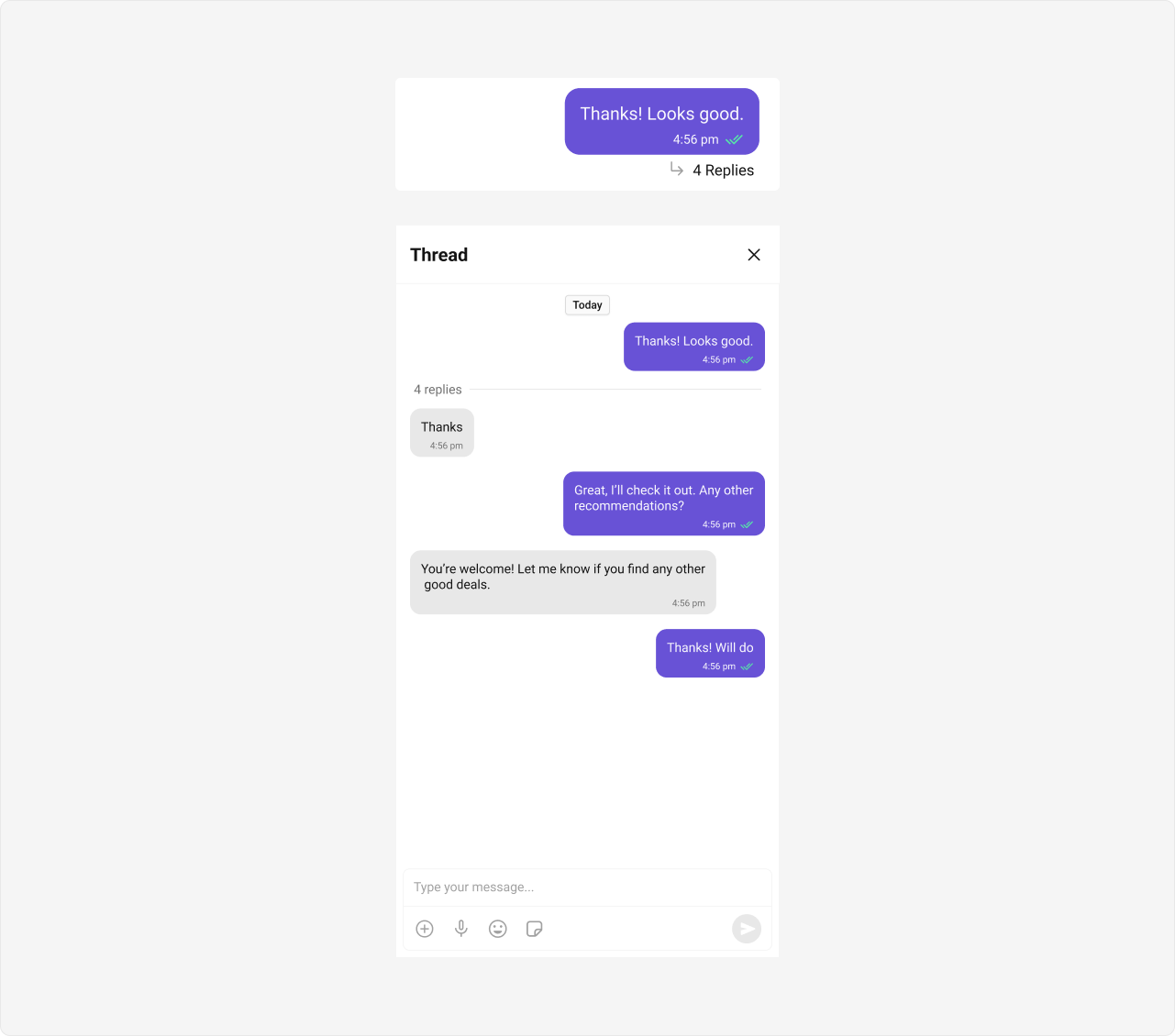
Threads require wiring: capture the parent message from the Message List’s
onThreadRepliesClick, then mount a second CometChatMessageList + CometChatMessageComposer (with parentMessageId) and a CometChatThreadHeader in a thread panel. The Threaded Messages guide walks through the full flow end-to-end.Quoted Replies
Quoted Replies is a robust feature provided by CometChat that enables users to quickly reply to specific messages by selecting the “Reply” option from a message’s action menu. This enhances context, keeps conversations organized, and improves overall chat experience in both 1-1 and group chats.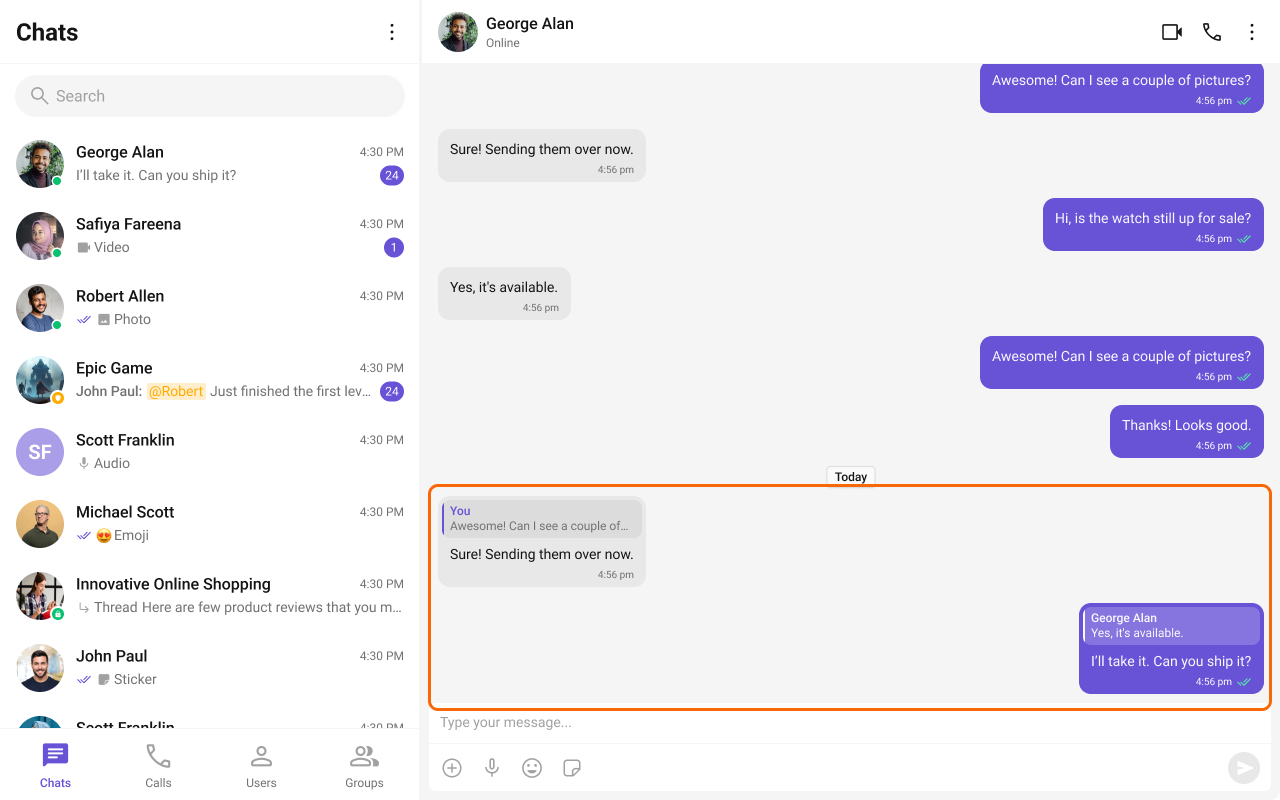
Pin and Save Messages
CometChat lets users pin important messages so they’re highlighted for everyone in a conversation, and save messages privately to a personal list that spans every conversation. Pinned and saved messages show an indicator on the bubble, and dedicated panels let users review them.Live Preview — the pinned messages panel for a conversation.Open in Storybook ↗
Your app can also cap how many items a user may pin or save through three app settings:
The UI Kit reads these settings at login. When a user reaches a cap, the kit shows a toast that names the exact limit — no extra handling required. For a full walkthrough, see the Pin & Save Messages guide.
Group Chat
CometChat facilitates Group Chats, allowing users to have conversations with multiple participants simultaneously. This feature is crucial for team collaborations, group discussions, social communities, and more.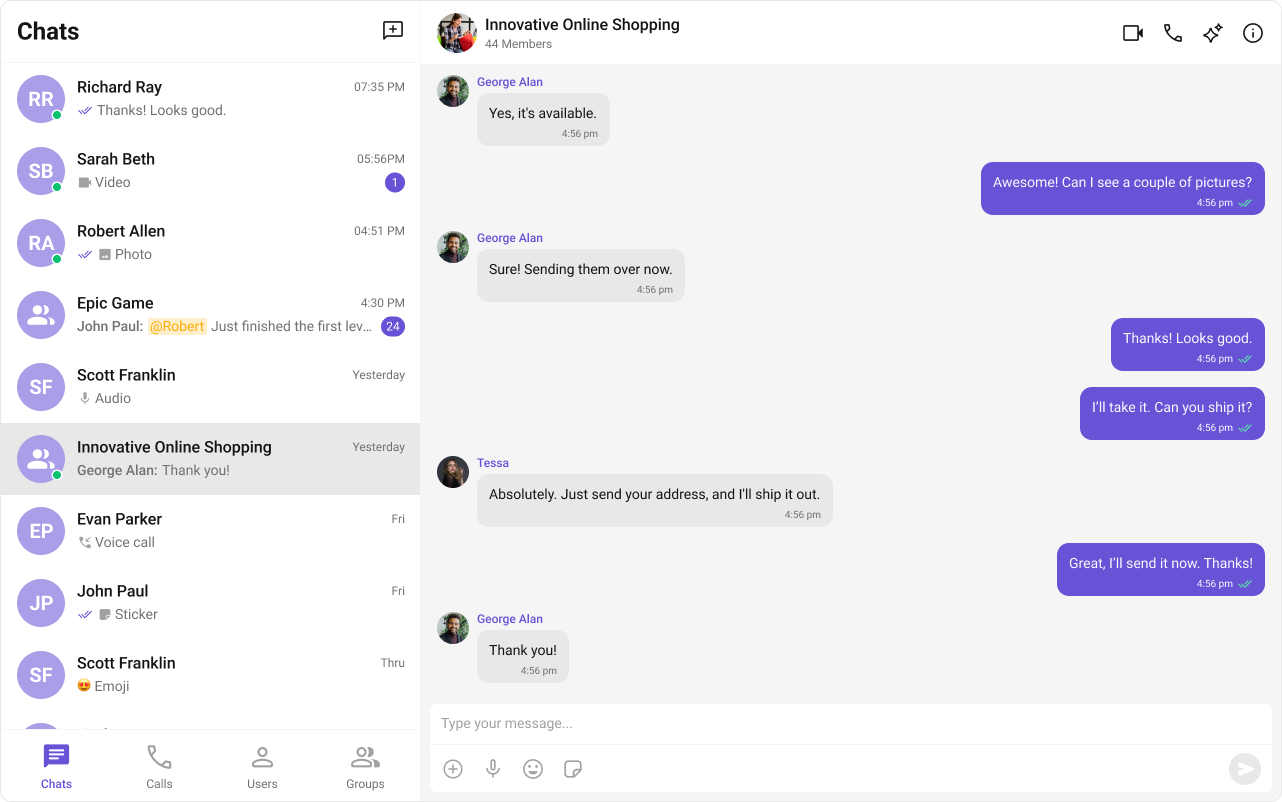
Moderation
CometChat’s Message Moderation feature helps maintain a safe and respectful chat environment by automatically filtering and managing inappropriate content. Messages can be automatically blocked or flagged based on predefined rules, ensuring harmful content is handled before it reaches users.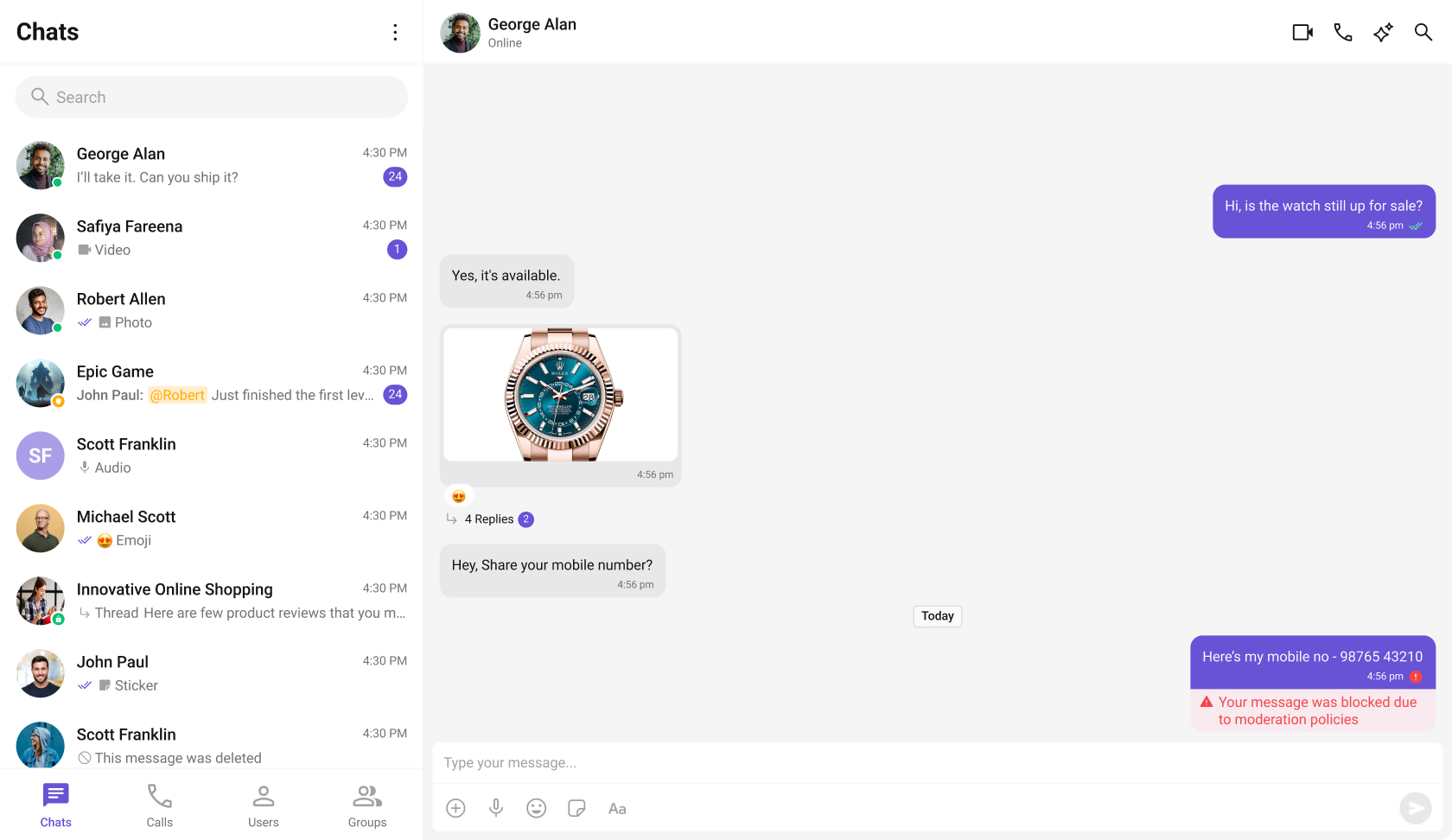
Learn more about setting up moderation rules and managing content in the Moderation documentation.
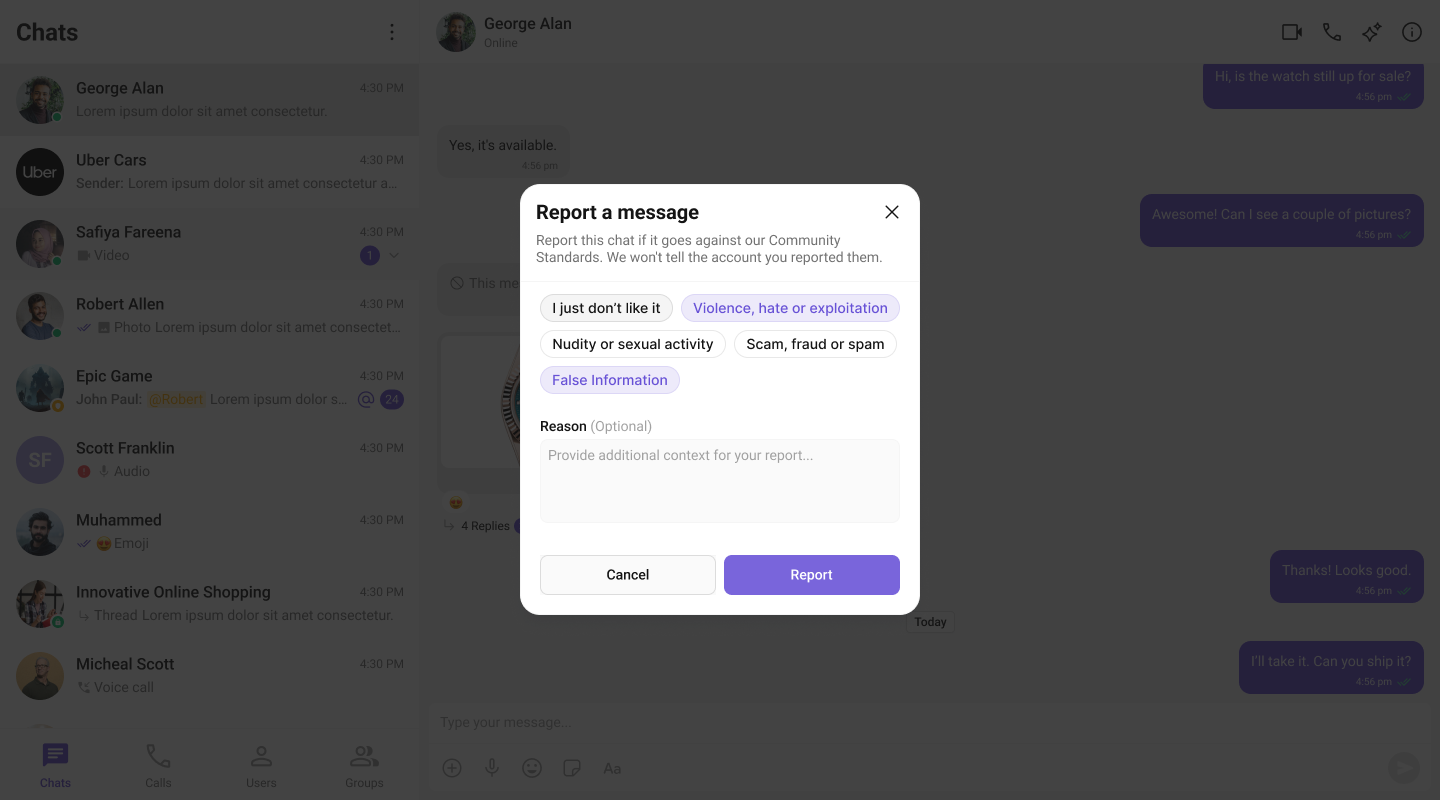
The Report Message feature enables users to flag messages for review by moderators.
Report Message
The Report Message feature allows users to report inappropriate or harmful messages within the chat. Users can choose from predefined reasons and provide additional remarks for detailed context. This feature helps maintain a safe and respectful chat environment.Learn more about how flagged messages are handled, reviewed, and moderated in the Flagged Messages documentation.
Conversation and Advanced Search
Conversation and Advanced Search is a powerful feature provided by CometChat that enables users to quickly find conversations, messages, and media across chats in real time. It supports filters, scopes, and custom actions, allowing users to locate content efficiently while keeping the chat experience smooth and intuitive.Search requires wiring the result callbacks to navigation: handle
onConversationClicked / onMessageClicked to open the conversation and jump to a message via the Message List’s goToMessageId. The Search Messages guide walks through the full in-conversation search flow.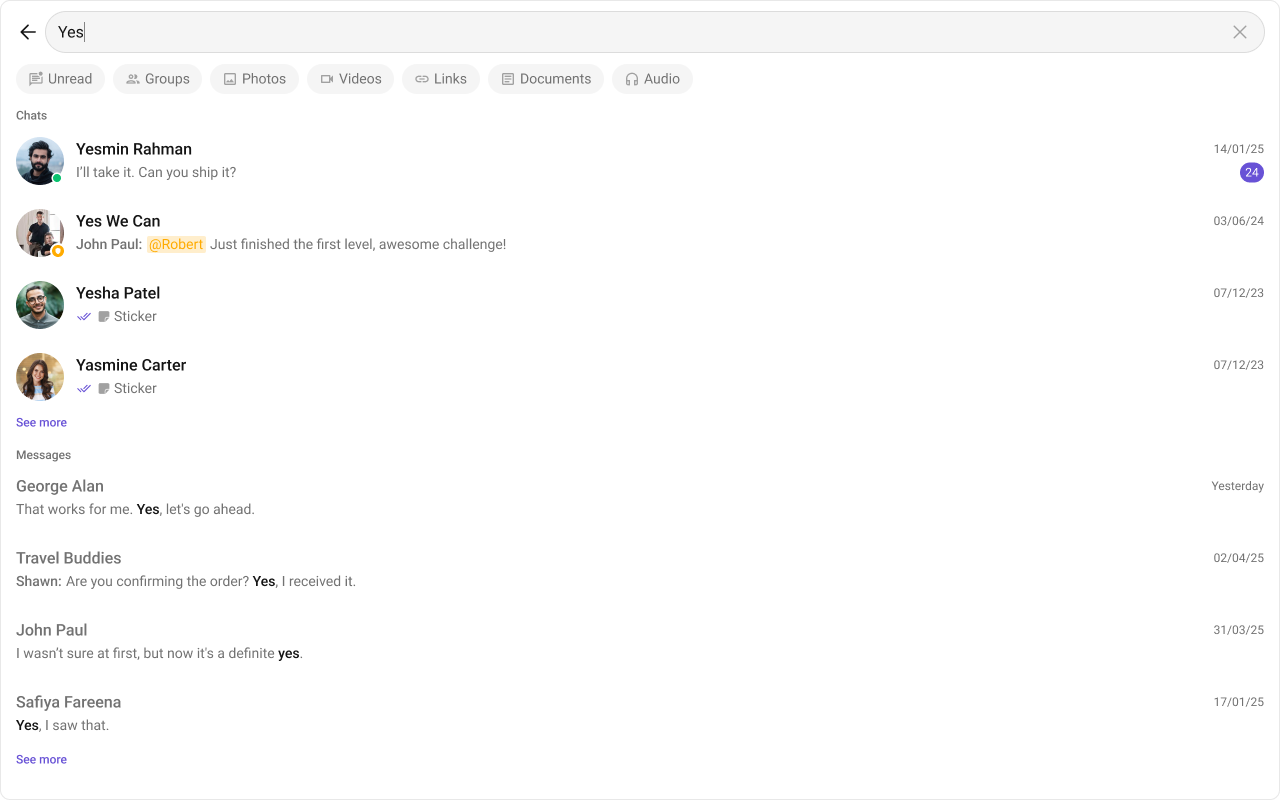
See the Groups component page for details.
Next Steps
Components Overview
Browse all available UI Kit components
Theme
Customize the look and feel of your chat UI
Call Features
Add audio and video calling
AI Features
Explore AI-powered chat capabilities