

AI Integration Quick Reference
AI Integration Quick Reference
- Requires: UNNotificationServiceExtension target in your app
- Purpose: Update badge count when push notification received
- Implementation: Override
didReceive(_:withContentHandler:)in extension - Related: Push Notifications · Prepare for Background
UNNotificationServiceExtension
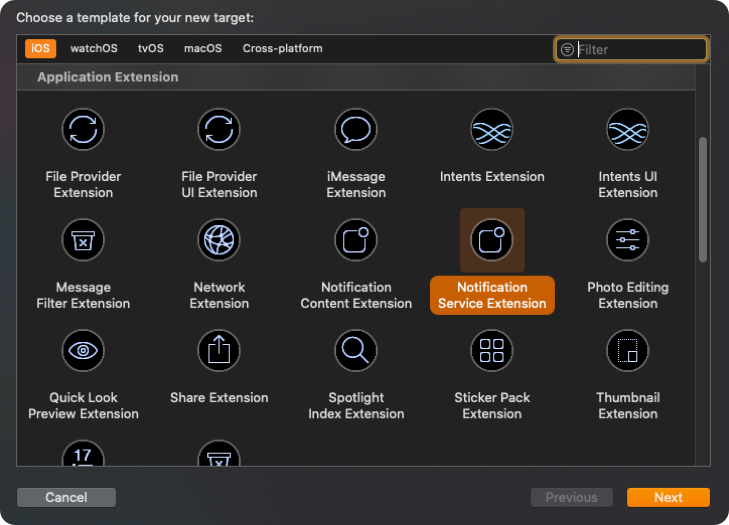
This service grabs the data from the push notification payload, the user can modify its content and display the customized data on to the push notification. In our case, we are modifying the data of the push notification and incrementing the badge count when a new push notification is received.Step 1: Add UNNotificationServiceExtension inside the app.
- Click on
File—>New—>Targets—>Application Extension—>Notification Service Extension.
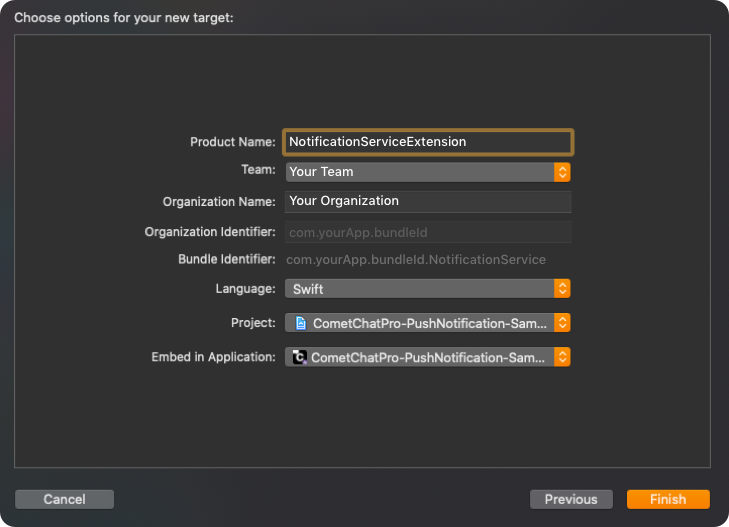
- Add
Product Nameand click onFinish.
Step 2: Setup App Groups.
- Click on
Project—>Targets—>Your app Target—>Signing & Capabilities—>[+]—>App Groups.
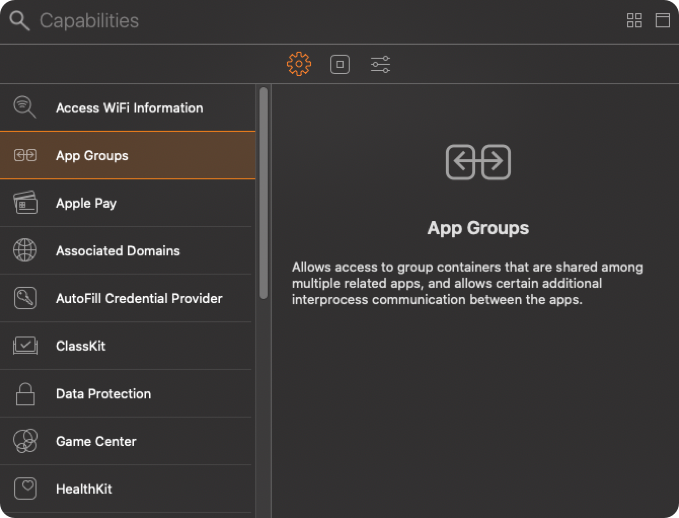
- In App Groups, click on
[+]—>Add a new container—>Enter group name—>OK.
Kindly, create a group name using the combination of ‘group’ and ‘App’s bundle identifier’ i.e
group.com.yourApp.bundleId.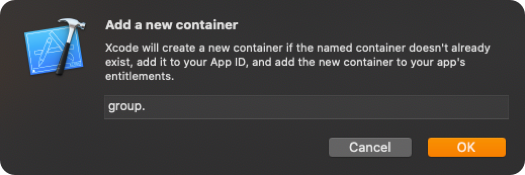
- Make sure you’ve selected the app group which you’ve created earlier.
-
Click on
Project—>Targets—>Notification Service Extension Target—>Signing & Capabilities—> [+] —>App Groups.
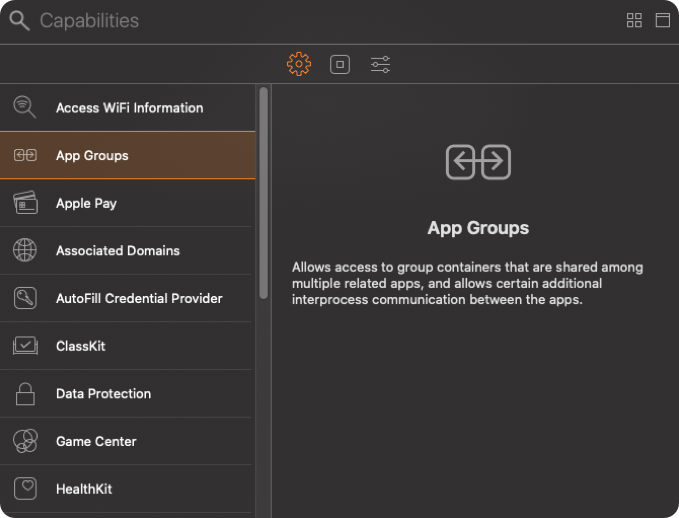
- Select the same App Group which you’ve created in
Your app Target.
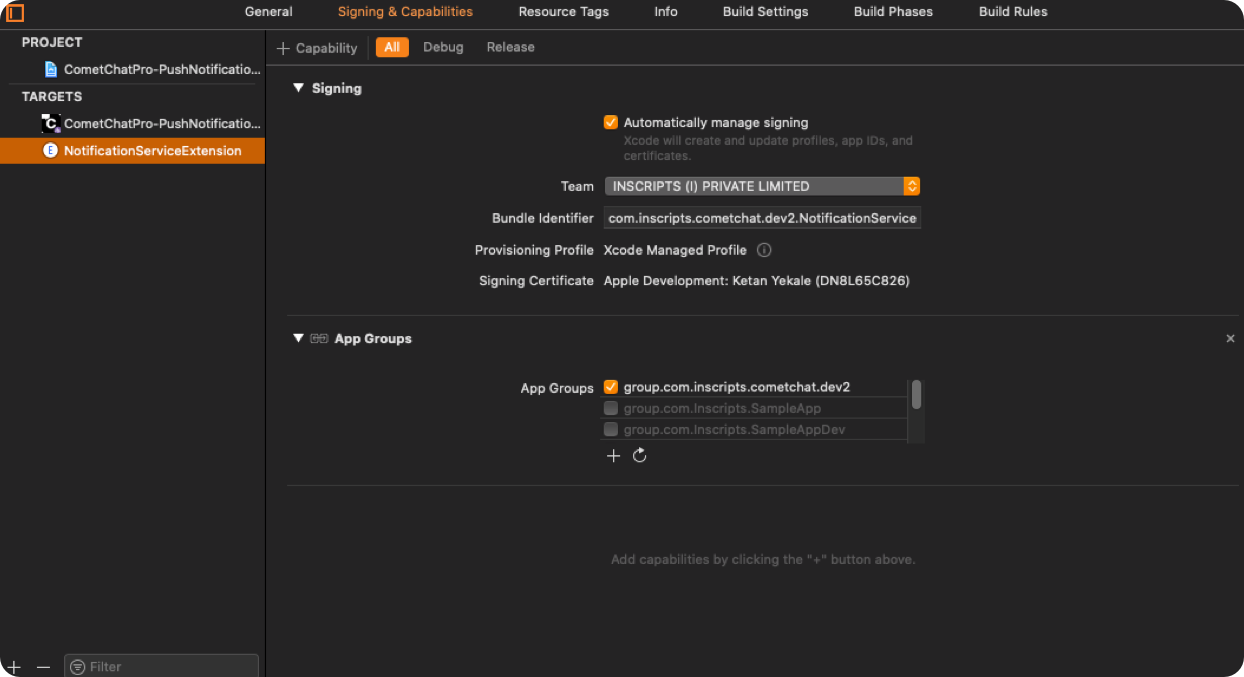
Step 3: Setup user suit for storing badge count.
- Open
AppDelegate.swiftand add below code inapplicationWillEnterForeground(_ application: UIApplication).
- Swift
Step 4: Setup Notification service extension to increment badge count.
- Open
NotificationService.swiftand replace the below code in it.
- Swift
Refer Sample App
We have implemented it in our push notification sample app. You can download the sample app. Download Push Notification Sample App Or else view it on Githhub.Next Steps
Push Notifications
Set up push notifications for your iOS app
Mark Delivered from Push
Mark messages as delivered via push notification
Remove Delivered Notifications
Programmatically remove delivered notifications
Background Updates
Keep real-time connection alive in background